Why Set Budgets?
A good budget serves as a roadmap for your money. Instead of wondering where your earnings went at the end of the month, Money Manager's Budget Planner allows you to allocate limits proactively. Whether you're tracking daily coffee expenses, managing entertainment budgets, or controlling overall monthly spending—our robust budgeting tools give you crystal clear insight.
Proactive Alerts. Never overspend blindly. Money Manager notifies you exactly when you're inching closer to the red line, helping you adapt your spending on the fly.
Comprehensive Budgeting Tools
Explore all the features that make our Budget Planner an essential tool for your daily finances:
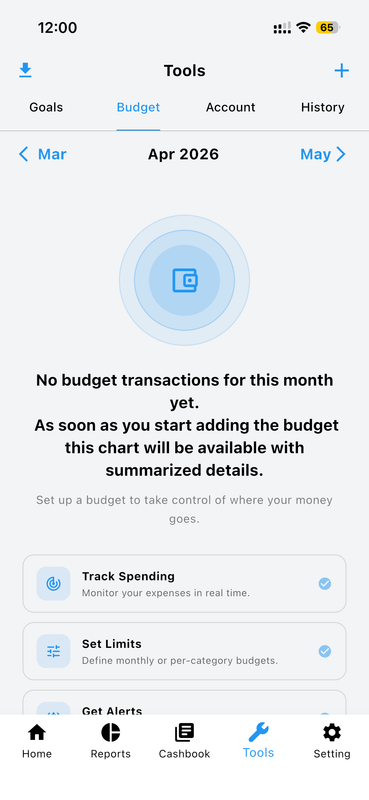
Budget Overview
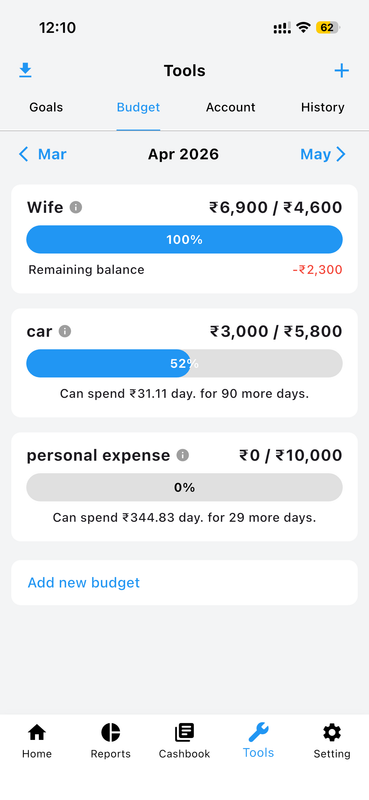
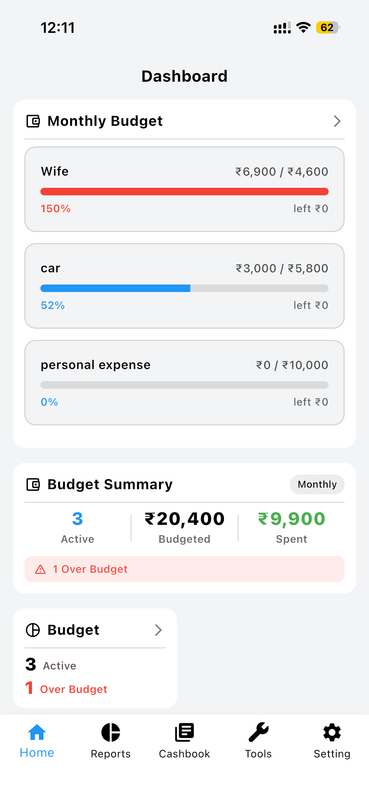
Get a complete view of all your active budgets in one place. The Budget Overview provides a high-level summary of your financial limits, helping you track your total budgeted amount against your actual spending for the current month or period.
Create Custom Budgets
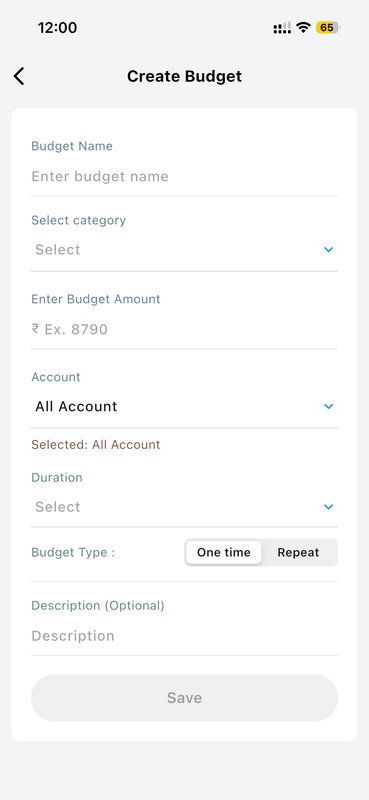
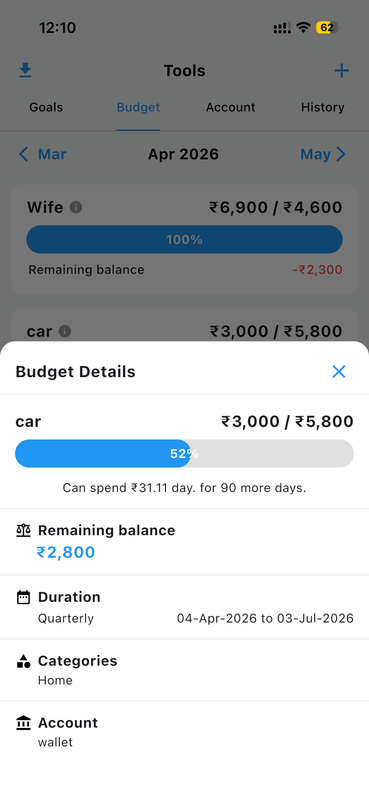
Setting up a new budget is quick and intuitive. You can define the budget amount, select the time period (weekly, monthly, or custom), and assign specific wallets or accounts to draw from. Take full control of your limits.
Category Specific Budgeting
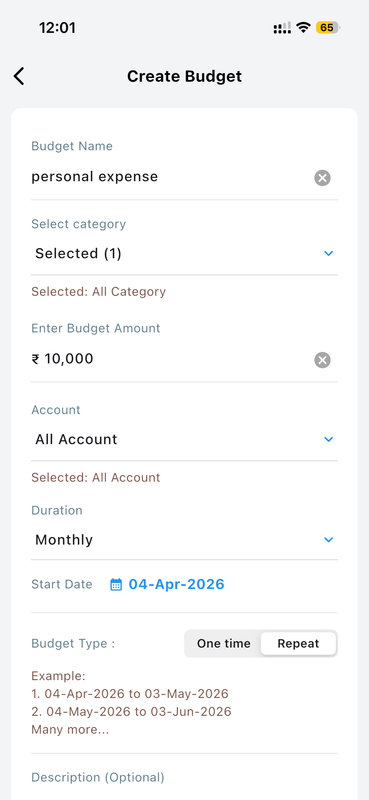
Don't just set a global limit—create granular budgets for individual expense categories like Groceries, Entertainment, or Transport. This detailed approach ensures you know exactly where every dollar is supposed to go.
Visual Progress Tracking
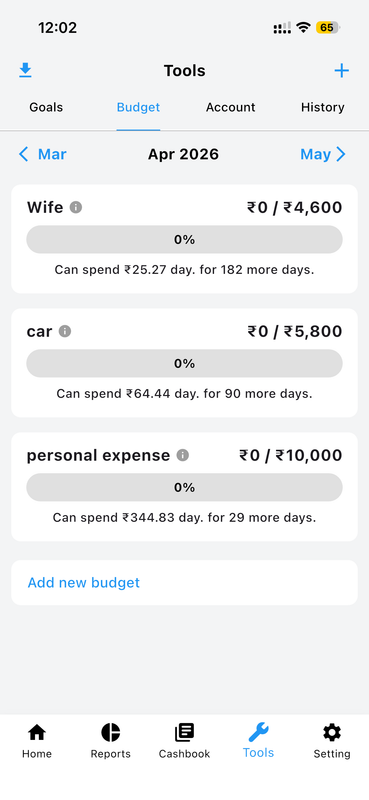
Stay on track effortlessly with intuitive visual progress bars. Instantly see how much of your budget has been consumed and how much is remaining. The color indicators naturally shift exactly when you safely approach your limit.
Budget Performance History
Review your past budget performance to understand your long-term spending habits. The history view allows you to compare previous periods, helping you adjust future budget limits directly based on historical insights.
Detailed Spending Breakdown
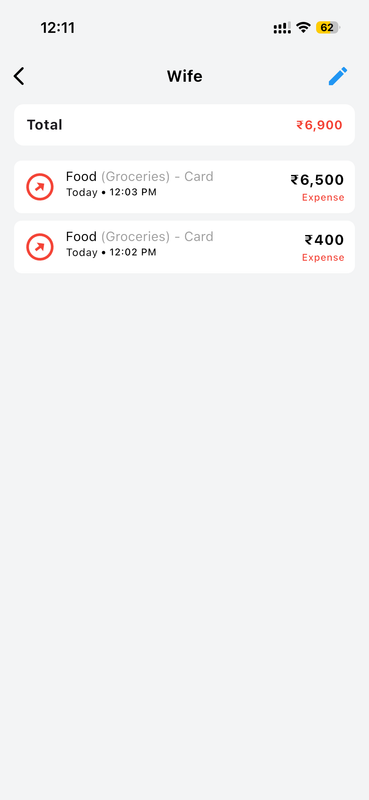
Tap into any budget to seamlessly view a comprehensive list of all associated transactions. This deep drill-down capability makes it incredibly easy to identify exactly which purchases are eating heavily into limits.
Smart Overspend Alerts
Never accidentally overspend again. Configure personalized threshold alerts to rapidly receive notifications whenever you've reached 50%, 80%, or 100% of your targeted financial budget limit. It's fully proactive management.
Multi-Account Compatibility
Directly manage budgets flexibly across distinct financial accounts. Whether strictly setting personal expenses across multiple banks or handling robust business caps, it coordinates perfectly with securely established accounts.
How to Setup Your First Budget
-
Navigate to Budget Planner Open the side menu and select the "Budget" option.
-
Add a New Budget Tap the "+" button to begin setting up a new financial limit.
-
Select Details Pick a relevant category, input the target amount, and cleanly set down the time period.
-
Log Your Expenses Continue faithfully logging your app expenses. The budget efficiently tracks them all automatically!