Getting Started
Experience a smooth onboarding that walks you through every key feature of Money Manager — from choosing your dashboard layout to setting up accounts, budgets, and reminders.
Full Intro Guide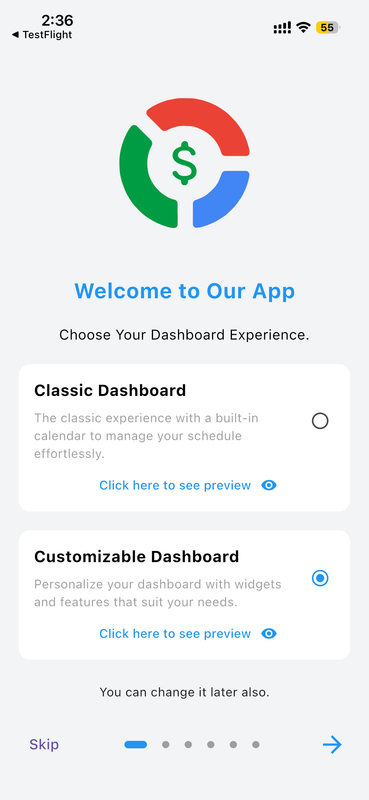
Choose Your Dashboard Style
Pick a dashboard layout that matches your financial management style. Multiple templates are available for different needs.
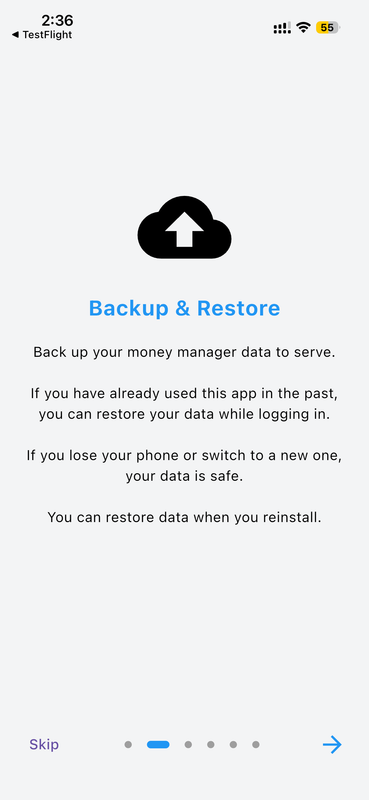
Secure Backup & Restore
Restore your financial data from previous backups or cloud storage during setup so you never lose progress.
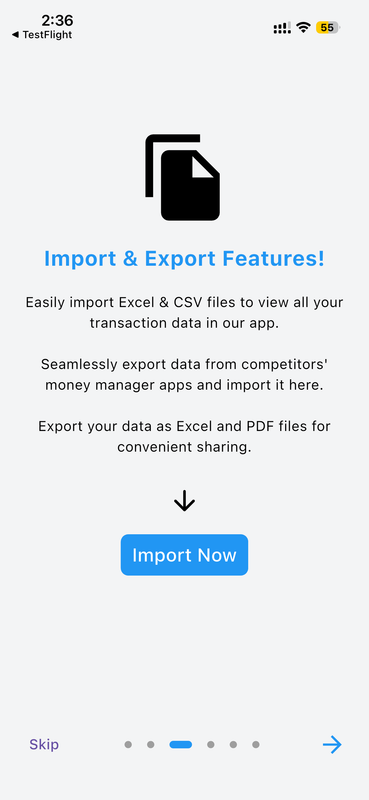
Import & Export Your Data
Import financial records from other apps or previous versions to pick up right where you left off.
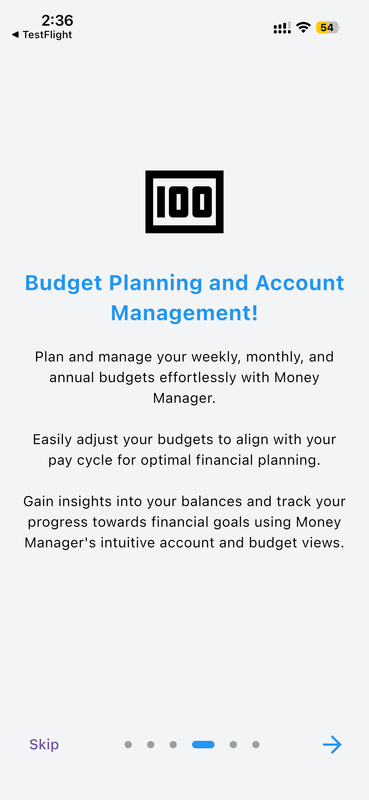
Budget Planning & Account Management
Add your initial accounts with opening balances and set up budgets to start tracking from day one.
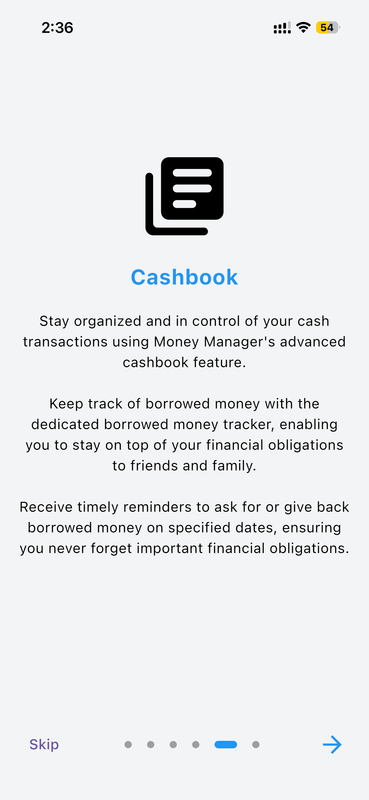
Advanced Cashbook Management
Initialize your cashbook for tracking money lent and borrowed from friends and family.
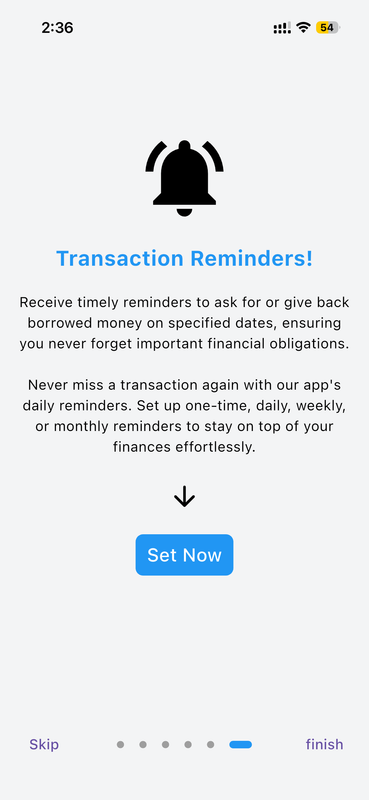
Smart Transaction Reminders
Set up payment reminders, budget alerts, and goal notifications tailored to your schedule.
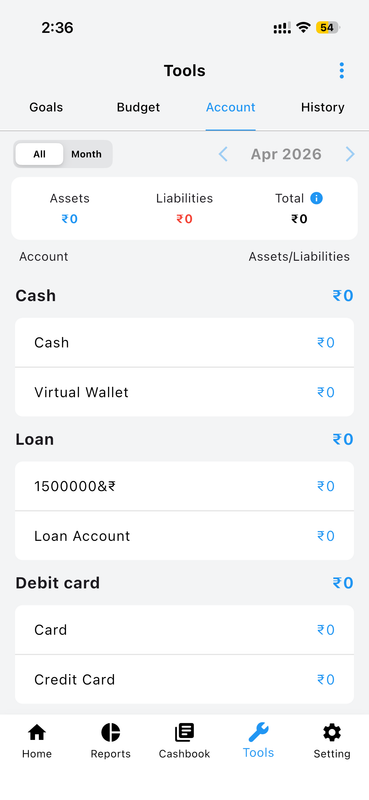
Account & Asset Management Tools
Configure your banks, credit cards, and other financial institutions from one central place.
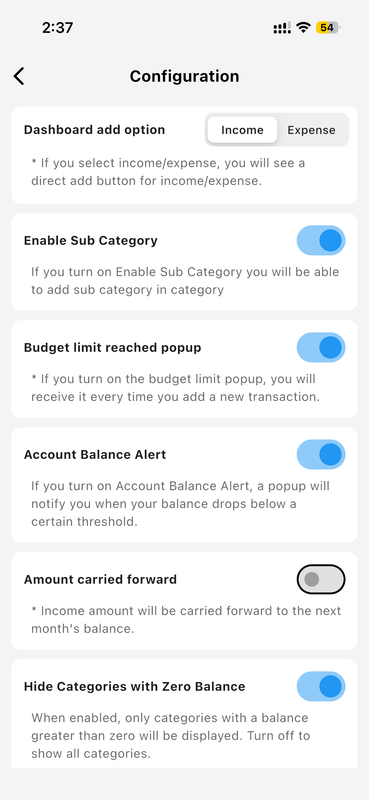
Flexible Configuration Options
Fine-tune preferences, themes, security, and every app behaviour to match your workflow.
Dashboard Overview
Personalize your financial home screen with drag-and-drop widgets. See exactly what matters most to you — account balances, income vs. expenses, budget progress, and goals — all at a glance.
Full Dashboard Guide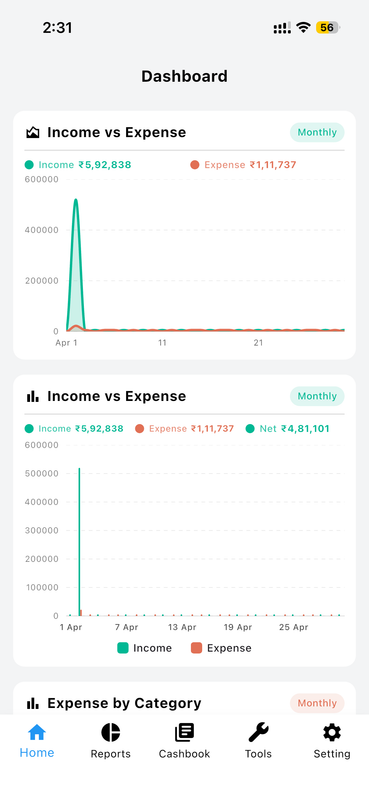
Dashboard Overview
Your central financial hub showing account balances, income vs. expenses, budget progress, and goals in real time.
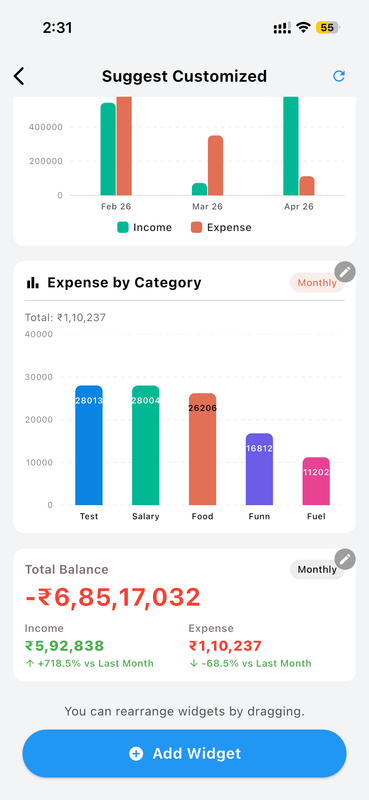
Quick Financial Snapshot
See total assets, liabilities, and net worth at a single glance without navigating deep into menus.
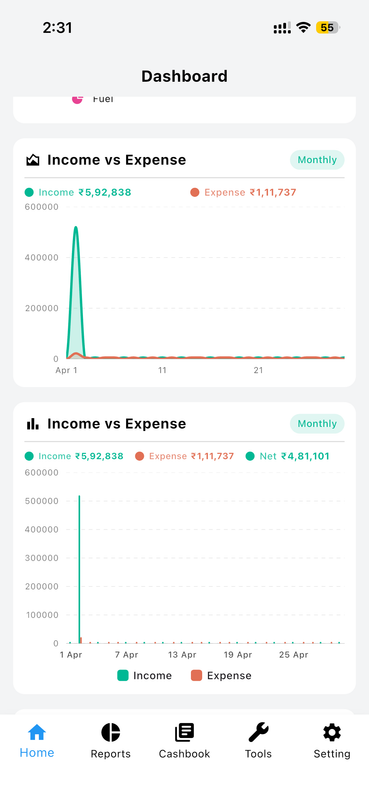
Spending Trends at a Glance
Visual indicators highlight spending trends and budget usage, helping you stay on track effortlessly.
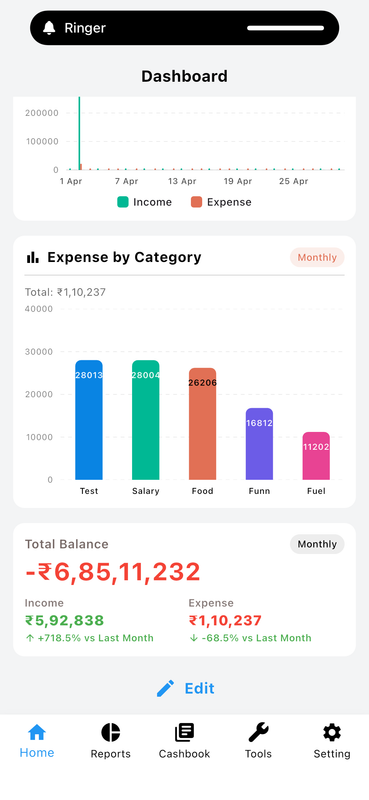
Fully Personalized View
Customize which data appears on your dashboard so every time you open the app you see what matters most.
Customized Dashboard
Personalize your financial home screen with drag-and-drop widgets. Choose from transactions, income/expense, graphs, goals, cashbook, account, net worth, and recurring widgets — each with multiple style options.
Full Custom Dashboard Guide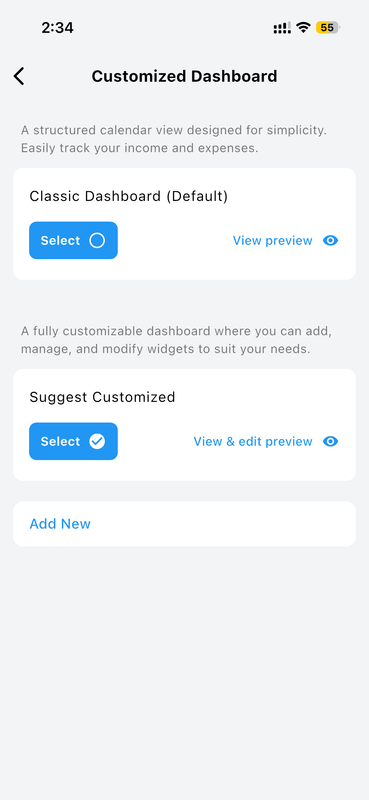
Customized Dashboard
Build your personal financial command center by arranging widgets exactly how you want them.
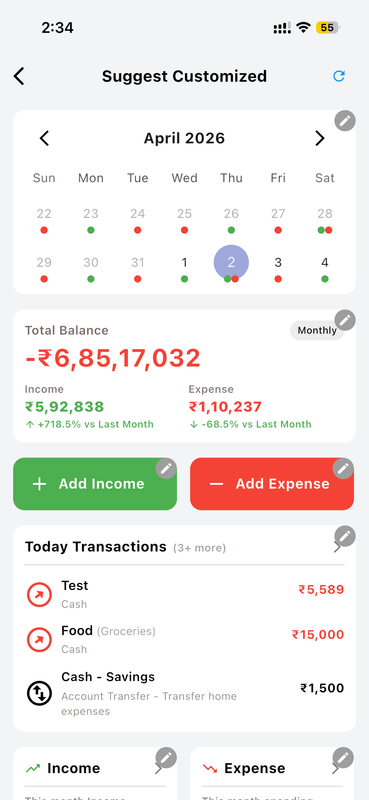
Suggested Dashboard
Not sure where to start? Choose from pre-built suggested layouts curated for different financial styles.
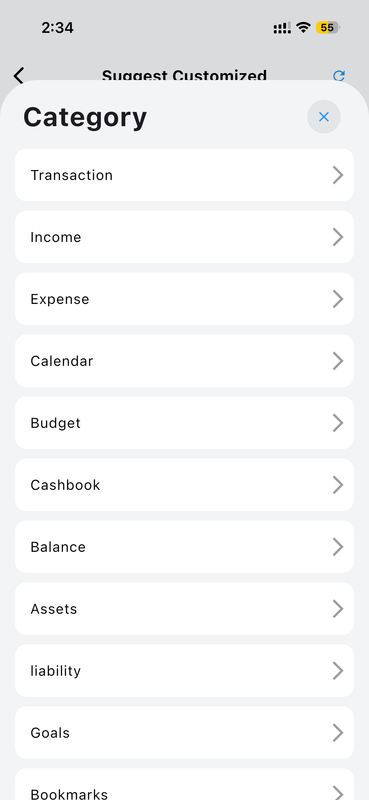
Widget Category Library
Browse a rich library of widget categories — transactions, income, expense, graphs, goals, cashbook, and more.
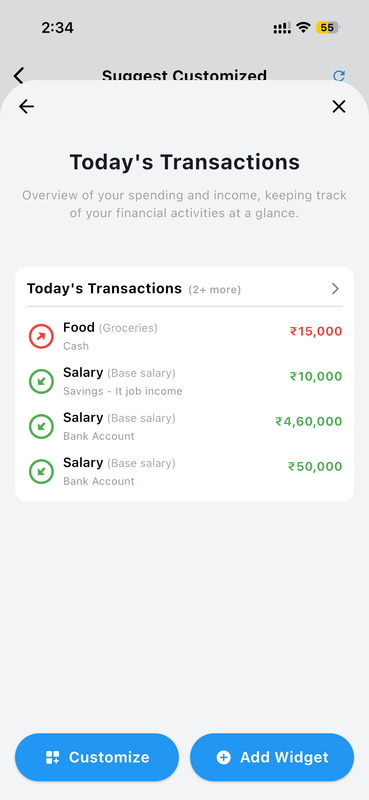
Transactions Widget
Display recent transactions with multiple style options — list, card, or timeline — each fully customizable.
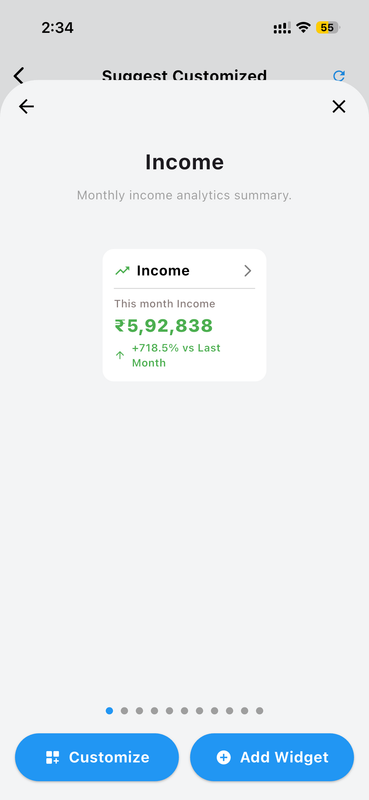
Income Widget
Track your income sources visually with configurable display styles for quick category breakdowns.
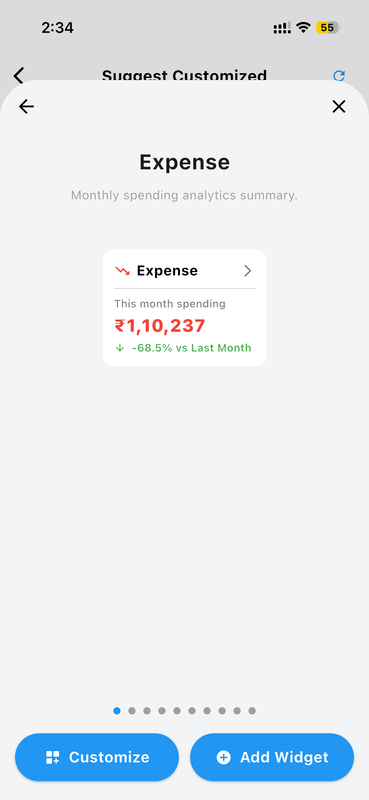
Expense Widget
Monitor spending by category directly from your home screen with multiple expense widget styles.
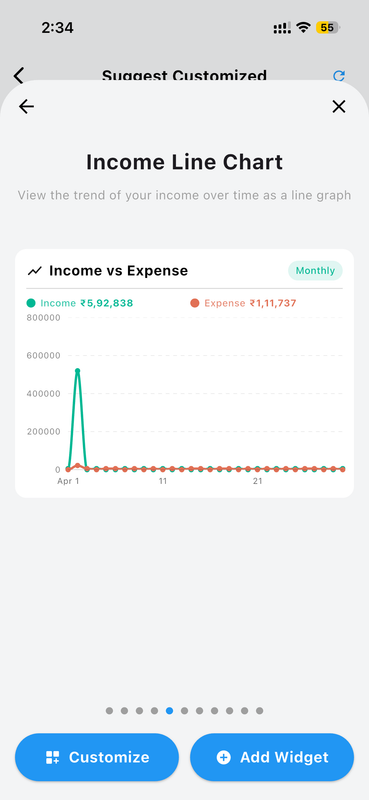
Graph Widgets
Interactive line, bar, and area charts showing income and expense trends over time, right on your dashboard.
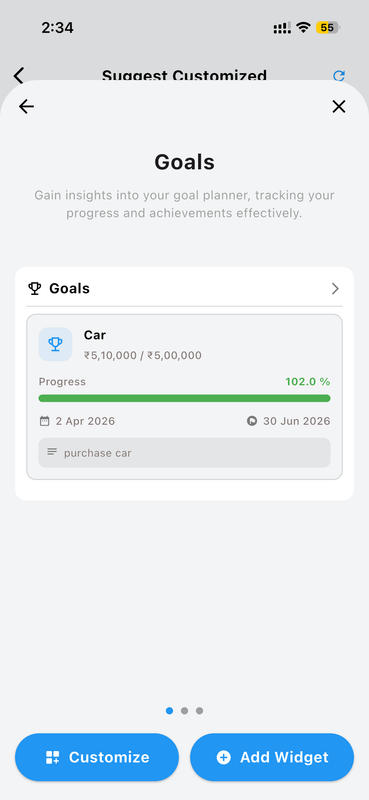
Goals Widget
Track progress toward your savings goals with visual indicators and multiple display styles.
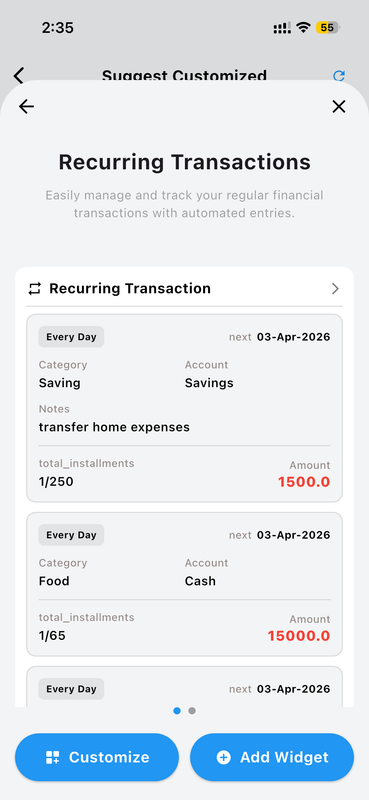
Recurring Transactions Widget
Stay on top of fixed and repeating expenses with recurring transaction summaries directly on your home screen.
Account Management
Keep all your financial accounts organized in one place. From cash in your wallet to savings and credit cards, Money Manager gives you a clear picture of where every rupee lives.
Full Account Guide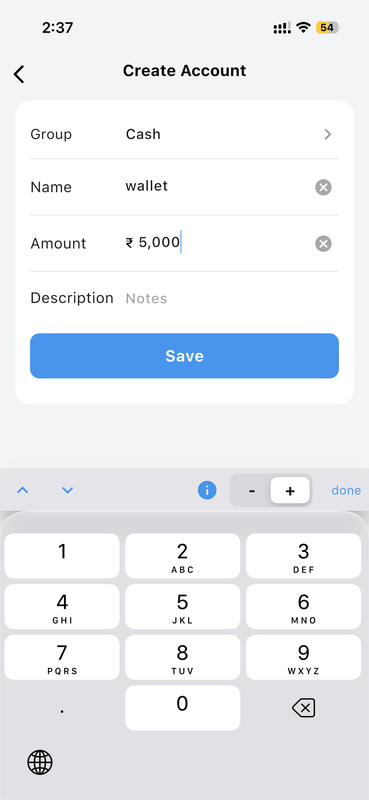
Create an Account with Opening Balance
Enter the account name, select its group (Cash, Savings, Debit Card, etc.), and set an opening balance to start tracking immediately.
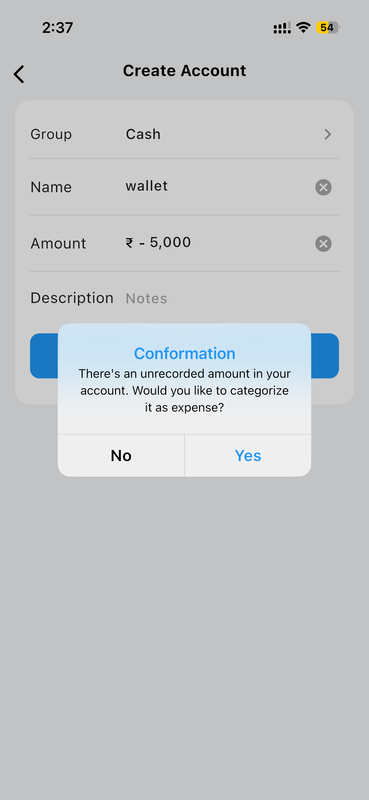
Confirm Before Saving
Review account details before finalizing. The app prompts you to confirm opening balance categorization as Income or Expense.
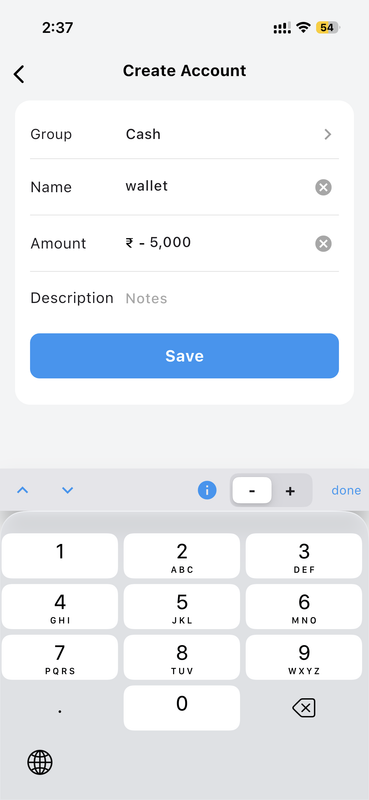
Support for Negative Balances
Credit card and loan accounts fully support negative opening balances for accurate liability tracking.
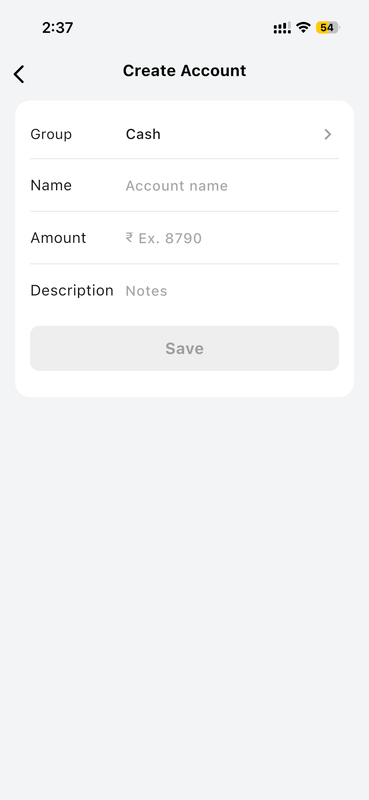
Simple Account Creation Form
A clean, distraction-free creation form makes it fast to add any account type with minimal steps.
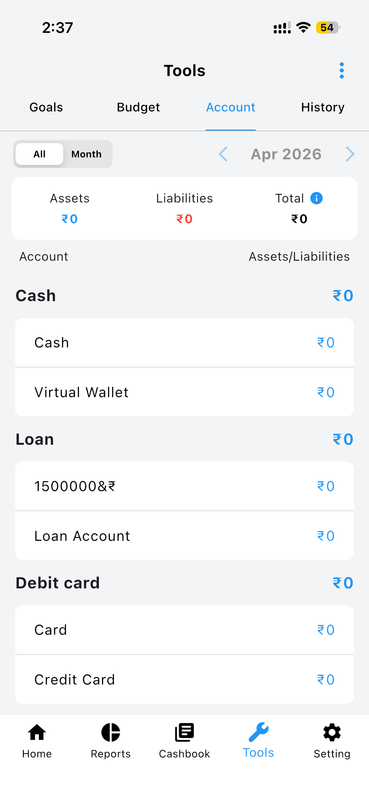
Account Dashboard Overview
See all accounts grouped by type with live balances. Total assets, liabilities, and net worth are always visible at the top.
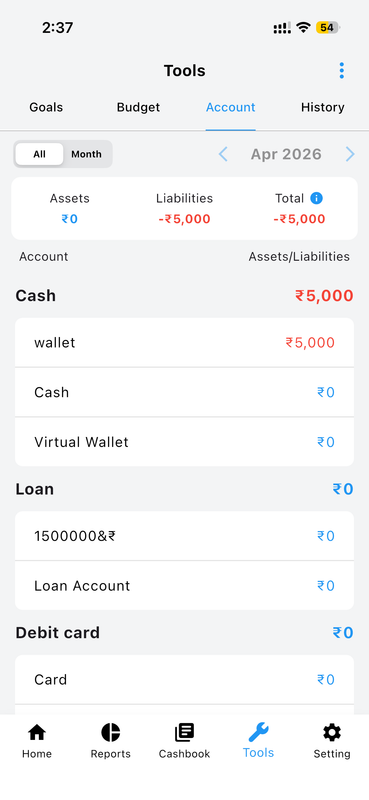
Quickly Update Account Values
Tap on any account to instantly update its value with the built-in financial keypad — no extra screens needed.
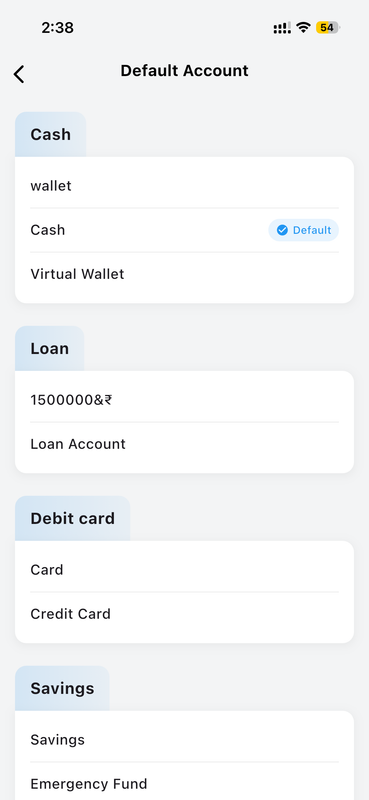
Preloaded Default Accounts
Get started instantly with preloaded account groups like Cash, Savings, and Credit Card — ready to customize.
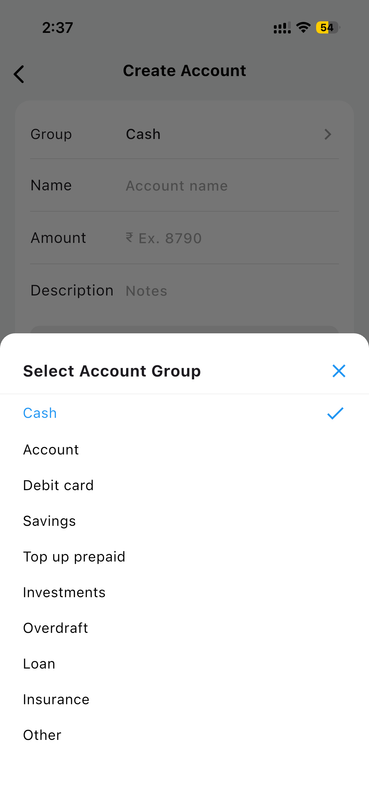
Choose Your Account Group
Assign each account to a group (Cash, Bank, Savings, Credit Card, Loan, or custom) for organized overview screens.
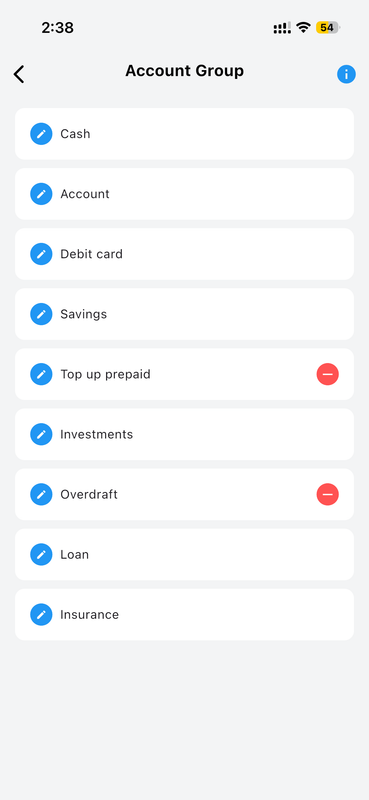
Organized Account Groups
Accounts are neatly grouped by type so you can find and manage any account in seconds.
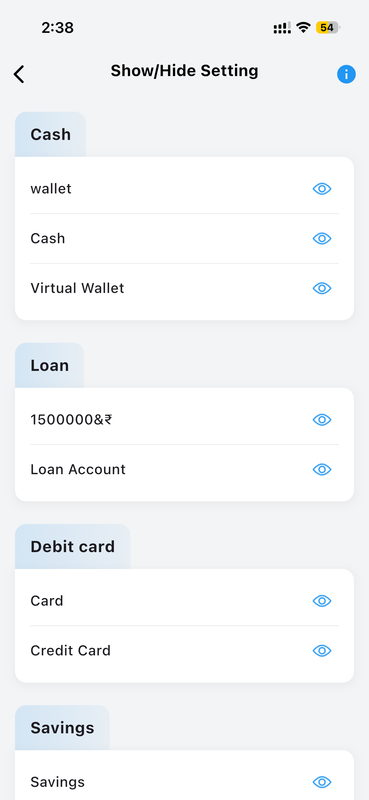
Show or Hide Accounts
Toggle visibility on any account to keep transaction lists clean without permanently deleting data.
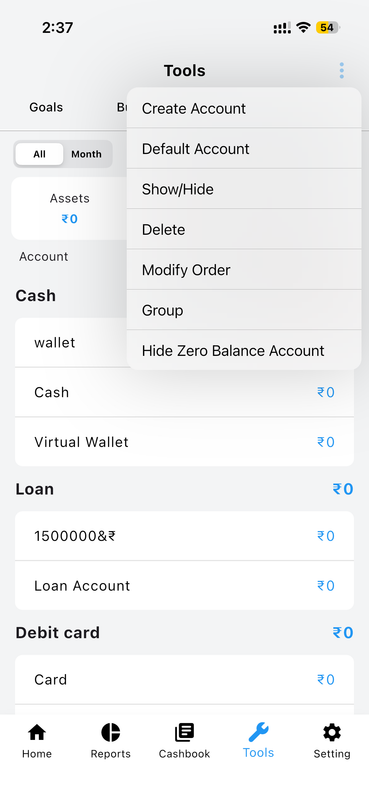
Account Options Menu
Access edit, delete, rename, and other account-specific actions from a quick tap on the options menu.
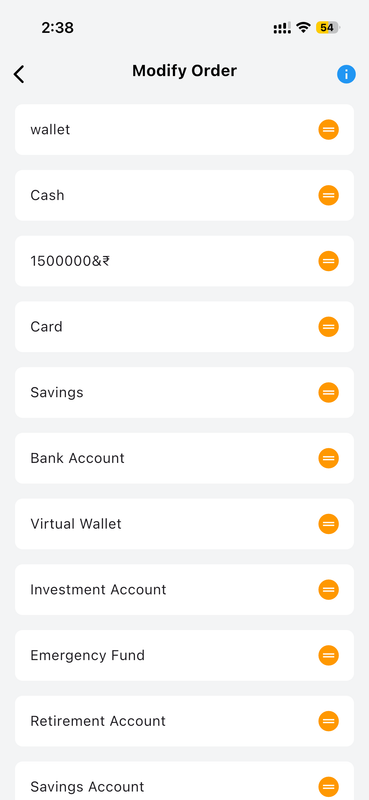
Reorder Accounts Your Way
Drag and drop accounts to arrange them in your preferred display order across the dashboard and lists.
Account Initiation Balance
Set up your new accounts with the correct starting balance. Whether you're starting with a positive cash reserve or managing a credit balance (minus), the step-by-step initiation flow ensures your finances are precisely accurate from day one.
Full Initiation Guide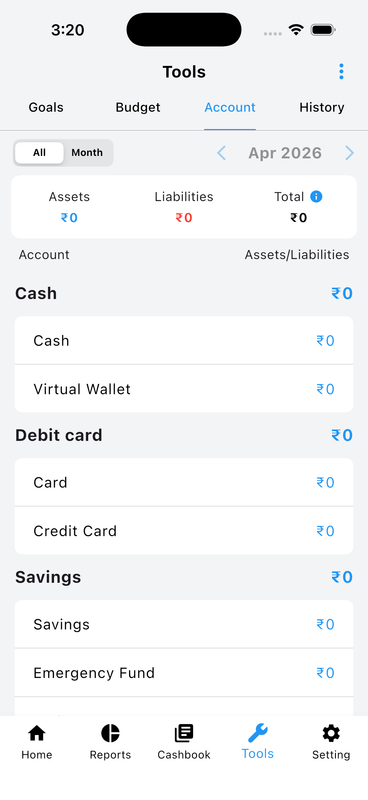
1. View Your Assets and Liabilities
Start from the Tools tab and tap Accounts for an instant overview — blue for assets, red for liabilities.
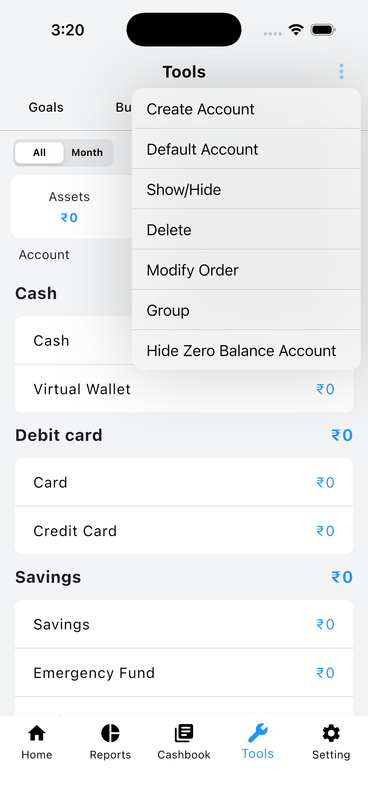
2. Account Management Options
Tap the ⋮ menu to create accounts, configure defaults, show/hide accounts, delete, or reorder them.
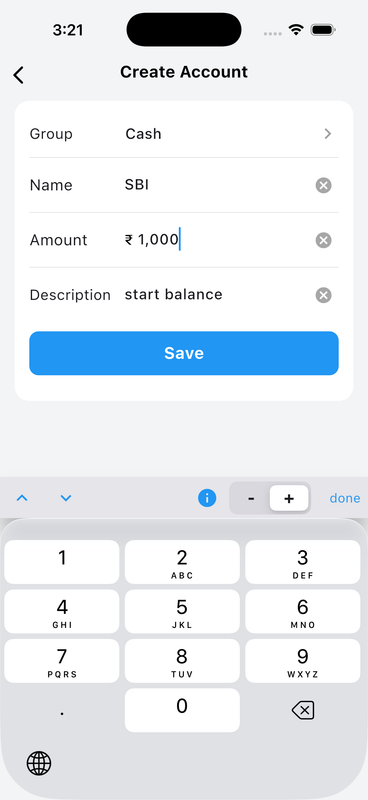
3. Create a New Account
Fill in Group, Name, and Amount. Use + for positive (asset) or − for negative (liability) opening balance.
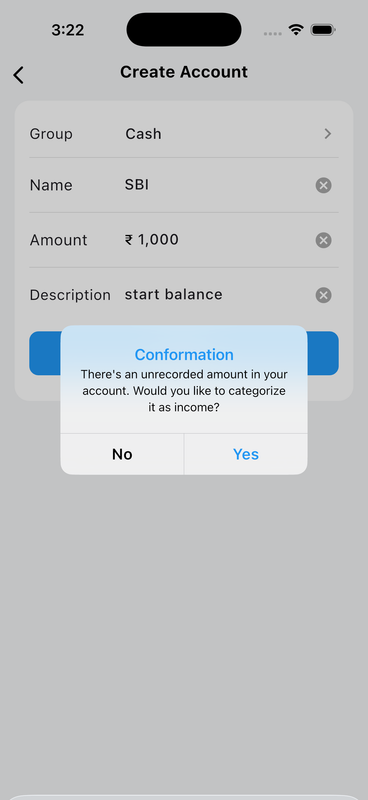
4. Confirm Initial Income or Expense
Selecting + records the balance as Income; selecting − records it as an Expense in your history log.
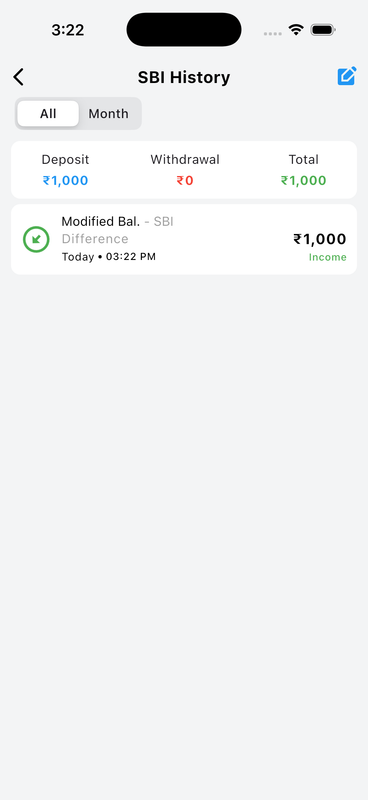
5. Positive History Log
Your positive initial balance is safely recorded as a "Modified Bal." categorized as Income in account history.
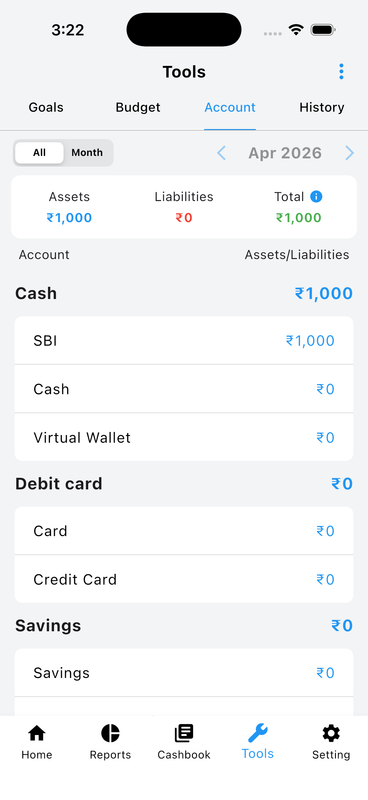
6. Updated Total Assets
Navigate back to Tools and see your new account reflected accurately under total Assets.
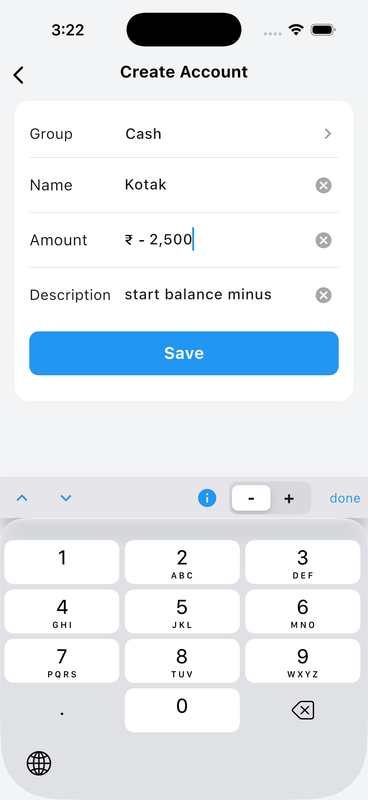
7. Negative (Liability) Account Setup
For credit cards or loans, use the − button to log a negative current balance for accurate liability tracking.
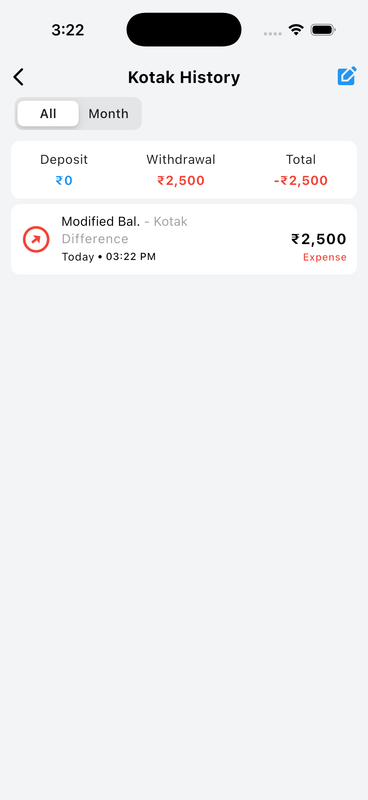
8. Negative History Log
The negative starting balance is automatically logged in account history as an Expense withdrawal.
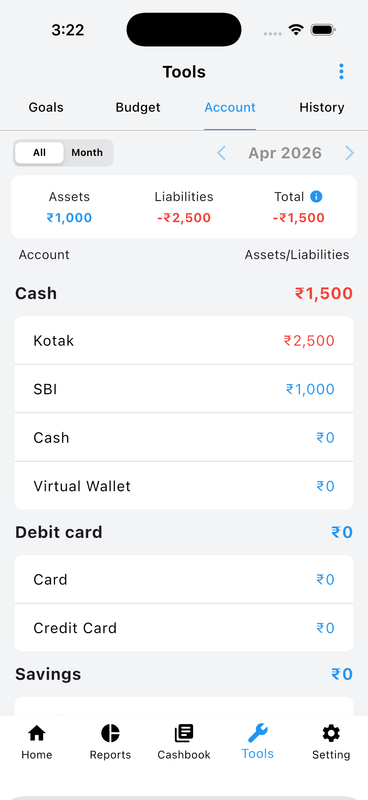
9. Calculating True Net Worth
The Tools section offsets Assets against Liabilities to display your accurate real-world Total net worth.
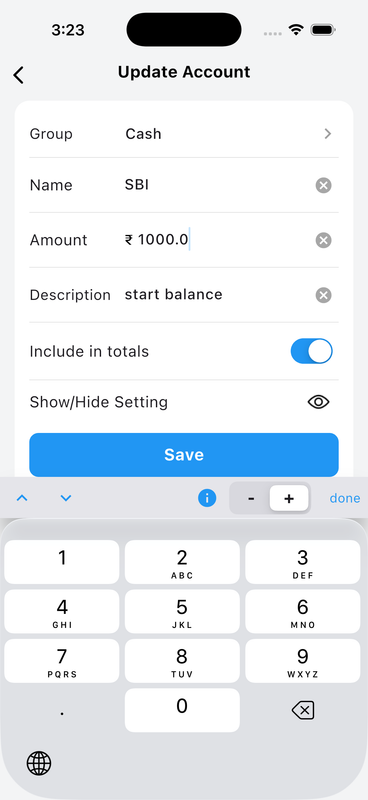
10. Update Existing Accounts
Select any account at any time to correct its balance, toggle formatting, or manage visibility preferences.
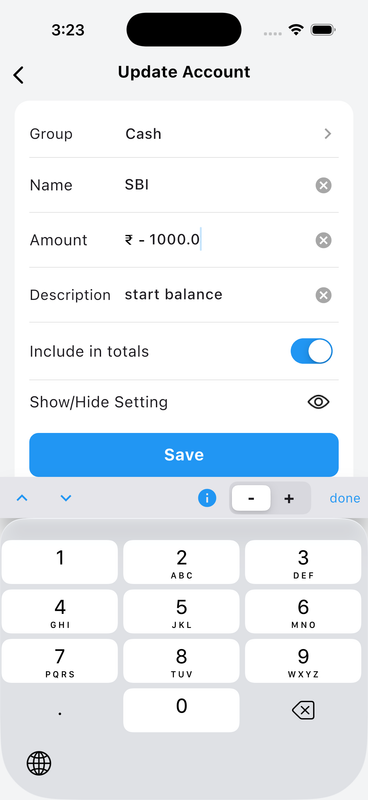
11. Using the Financial Keypad
Our dedicated numeric keypad makes it fast to toggle between Plus (+) and Minus (−) balances on the fly.
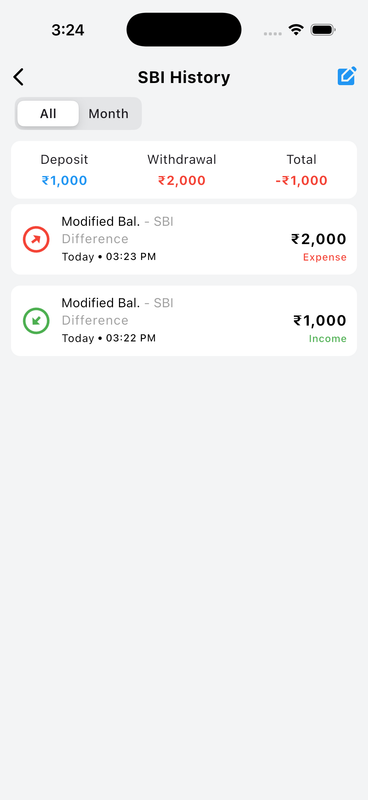
12. Reversing Accounts Automatically
Updating an account from positive to negative (or vice versa) automatically records the difference as Income or Expense.
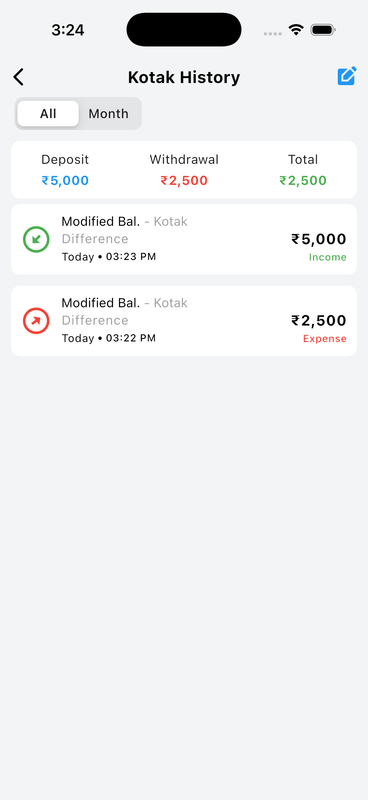
13. Always Balanced, Guaranteed
Every manual balance change is precisely timestamped and logged, giving 100% transparency over your finances.
Budget Planner
Take control of your spending before it happens. Set flexible budgets, track your progress visually, and stop living paycheck to paycheck with intelligent spending alerts.
Full Budget Guide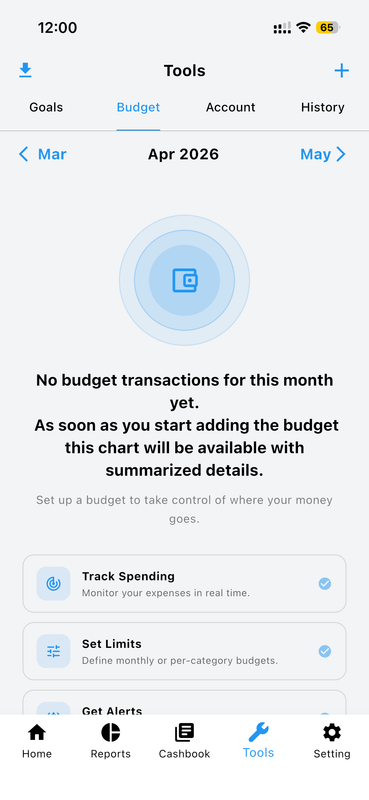
Budget Overview
See all active budgets at a glance with progress bars showing spending against your budget targets.
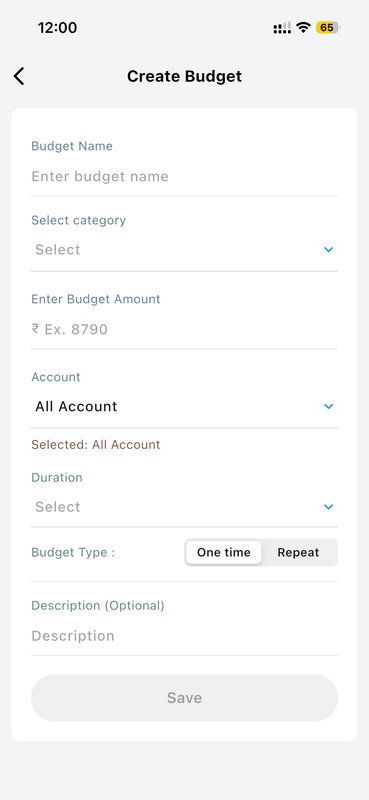
Create Custom Budgets
Set a budget amount for any category, select a time period (weekly/monthly/yearly), and define which accounts apply.
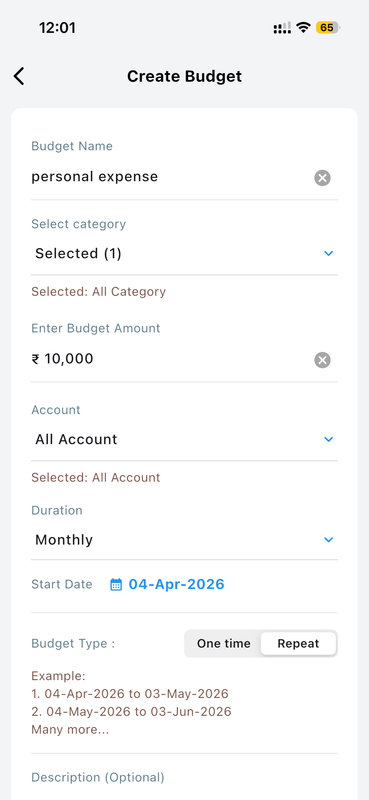
Category Specific Budgeting
Create separate budgets for food, entertainment, utilities, transport, and any other expense category you track.
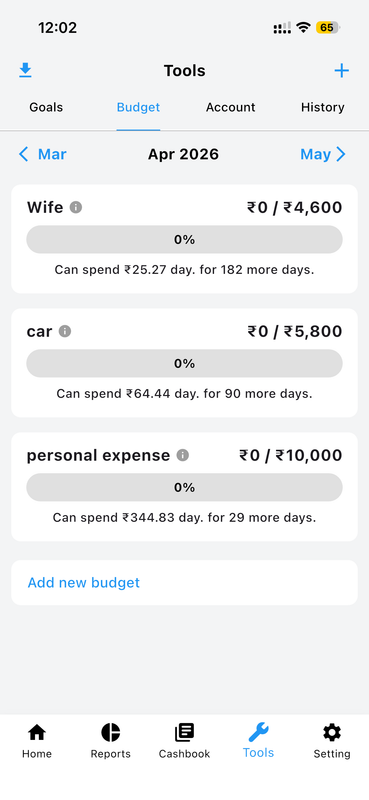
Visual Progress Tracking
Color-coded progress bars show exactly how much of each budget is spent and how much remains at a glance.
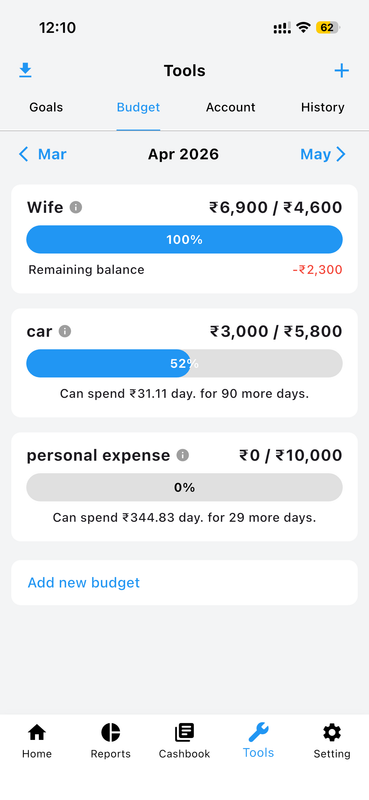
Budget Performance History
Review past budget periods and spending patterns to identify habits and improve your future planning.
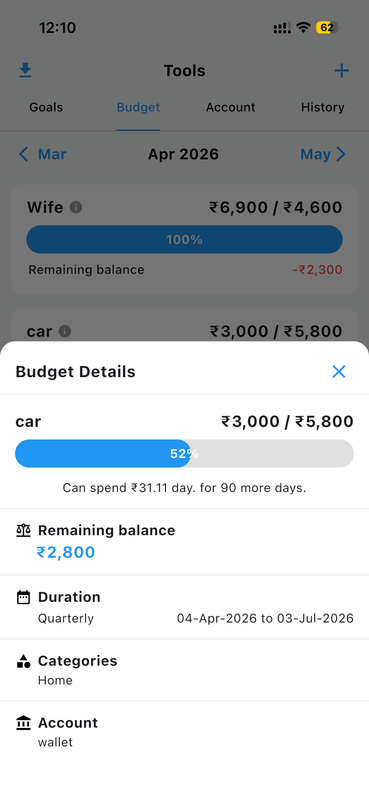
Detailed Spending Breakdown
Drill into any budget to see a full category breakdown of where exactly your money is going.
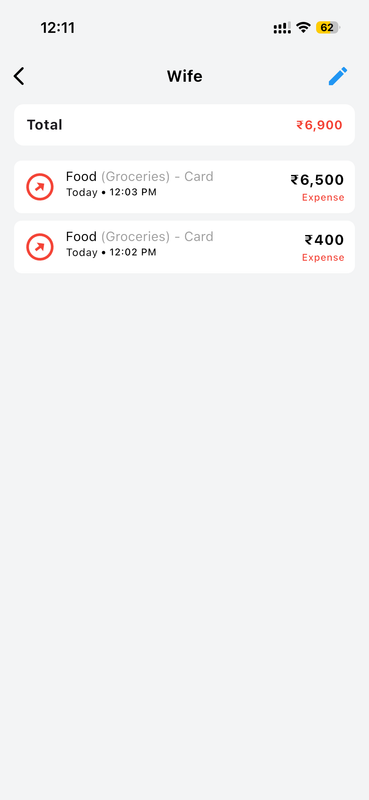
Smart Overspend Alerts
Receive notifications when spending reaches set thresholds so you can adjust before you blow the budget.
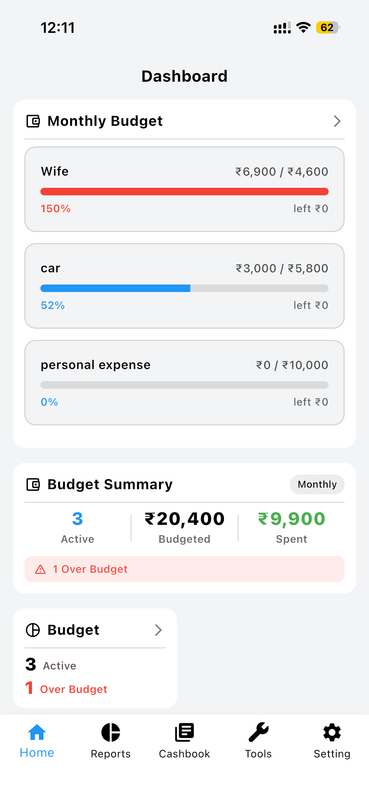
Multi-Account Compatibility
Create budgets that span multiple accounts or limit them to specific accounts for granular financial control.
Goal Tracking
Define your financial goals, contribute regularly, and watch your progress grow — one step at a time. Money Manager keeps you motivated and accountable with clear visual milestones.
Full Goal Guide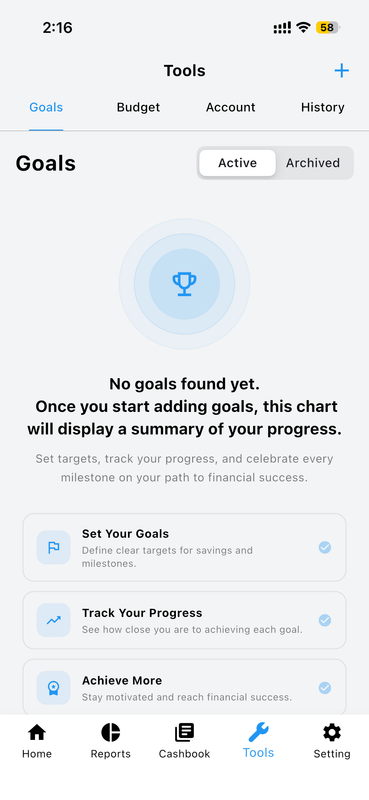
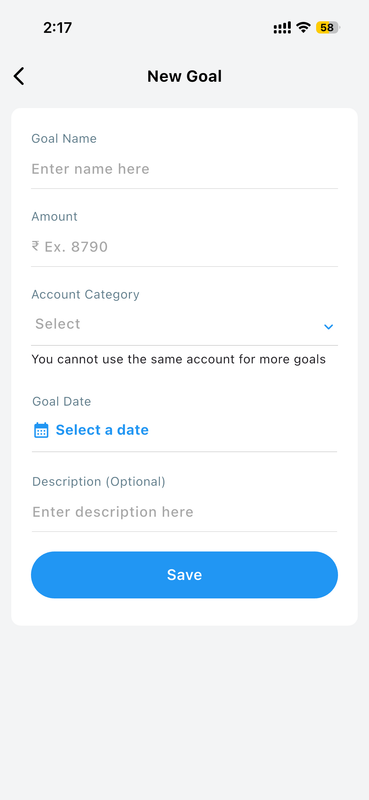
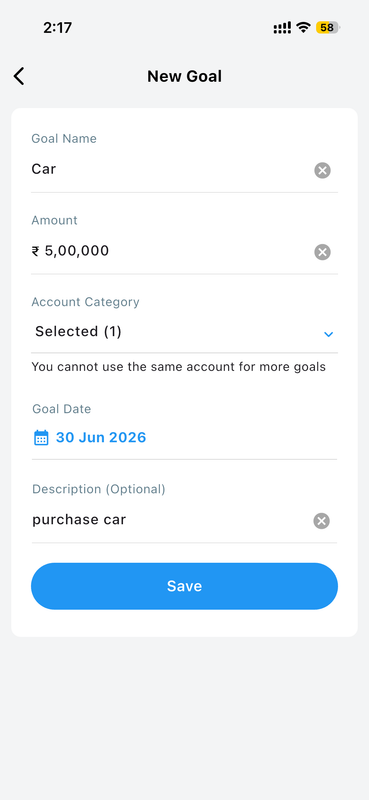
Create a New Goal
Define a goal name, target amount, deadline, and category — whether it's a vacation fund, emergency reserve, or big purchase.
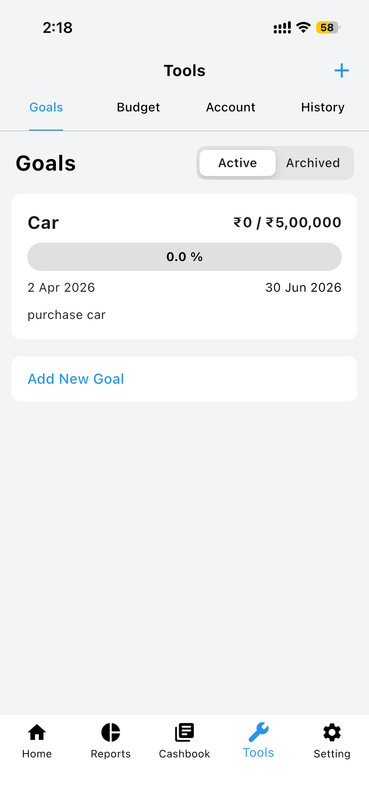
View All Your Goals
See all active goals with completion percentages, time remaining, and visual progress bars on one screen.
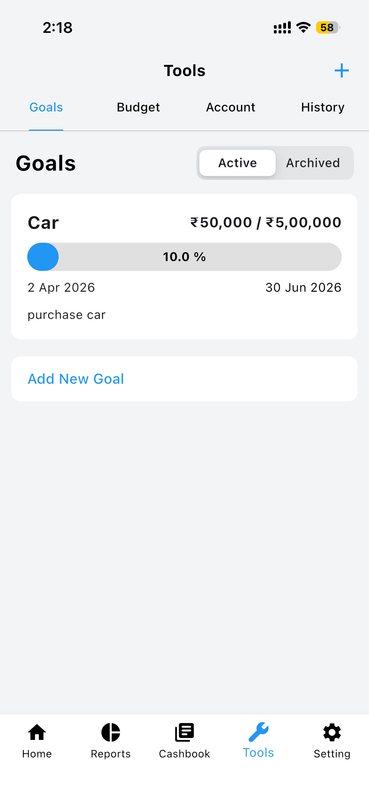
Add Contributions Easily
Quickly add money toward any goal from a dedicated contribution screen — any amount, any time.
Track Contribution History
View a complete history of every contribution, adjustment, and milestone achieved for each goal.
Visual Progress Tracking
Charts show goal progress over time with trend analysis so you can see if you're on pace to meet your deadline.
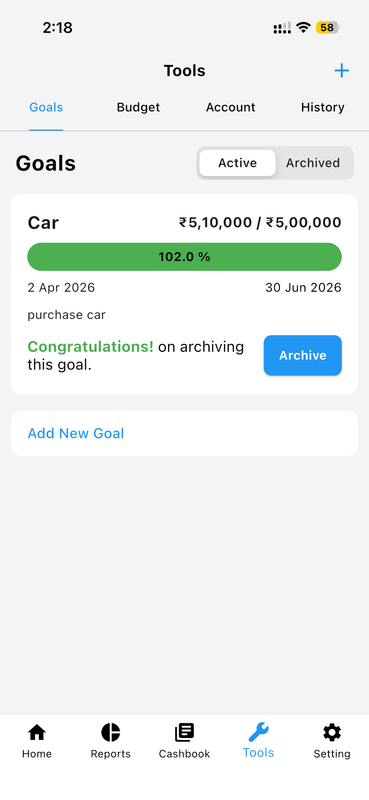
Manage and Edit Goals
Modify goal targets, deadlines, or linked accounts anytime as your financial priorities evolve.
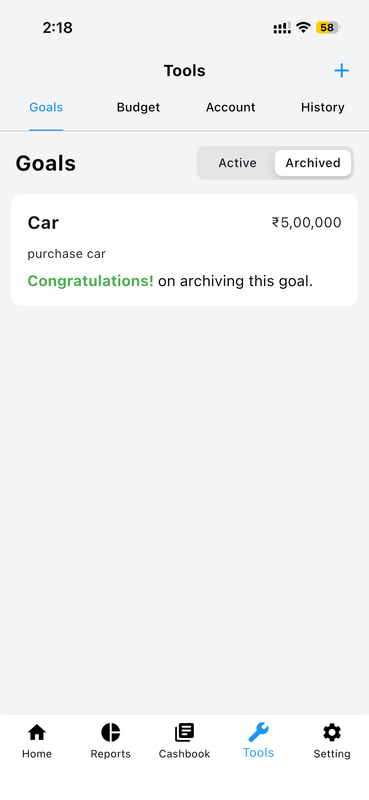
Celebrate Goal Completion
The app acknowledges your achievement when you reach your target and archives the goal for future reference.
Financial Reports
Gain deep insights into your finances with beautiful analytics, category breakdowns, sub-category reports, advanced filters, and full transaction history — all exportable.
Full Reports Guide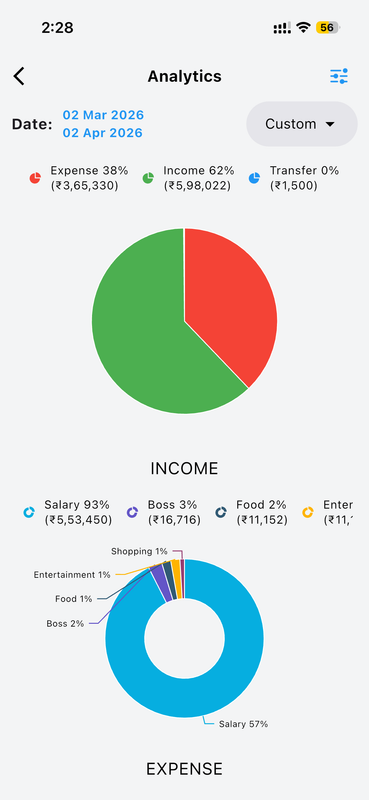
Analytics Overview with Pie Chart
Visualize income and expense distribution across all categories with a clear, interactive pie chart.
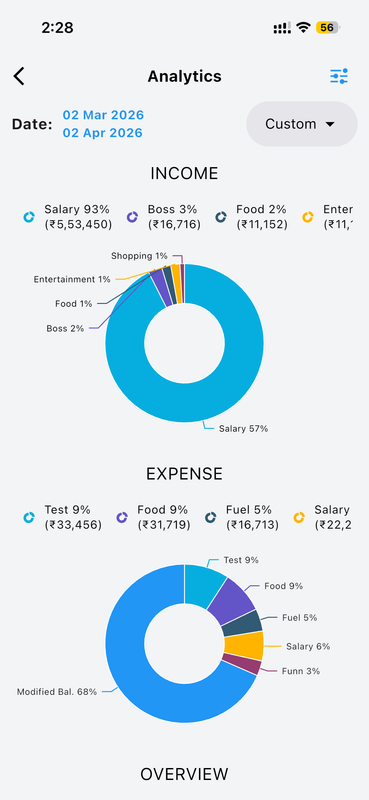
Income & Expense Category Breakdown
Detailed breakdown showing top income sources and expense categories with proportional spending analysis.
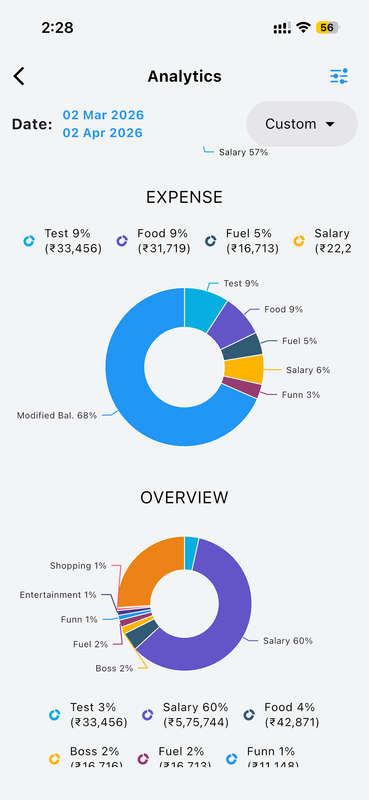
Full Overview Donut Chart
A summary donut chart gives an instant overview of your overall financial situation at a single glance.
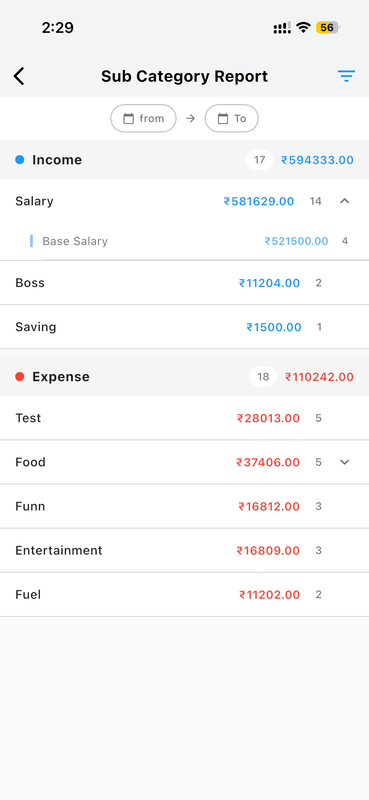
Sub Category Report
Drill down into specific categories to see detailed sub-category spending analysis and granular breakdowns.
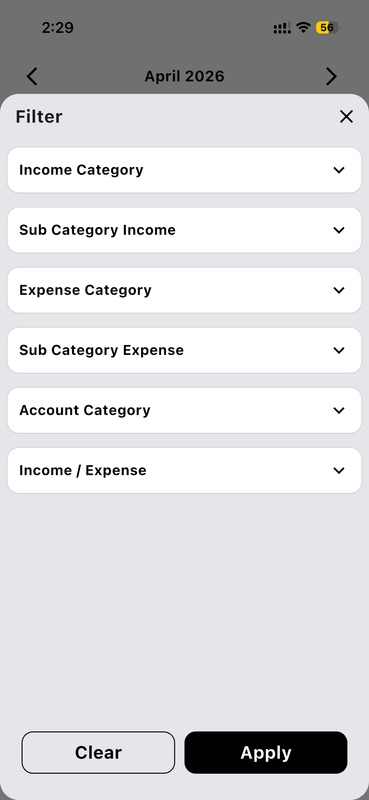
Advanced Report Filters
Filter reports by date range, category, account, transaction type, and custom criteria for precise insights.
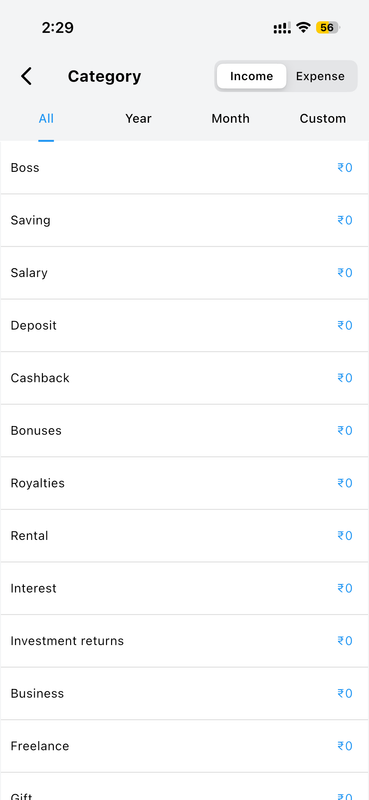
Category-wise Totals Report
See total spending and income by category for a complete picture of where your money flows each period.
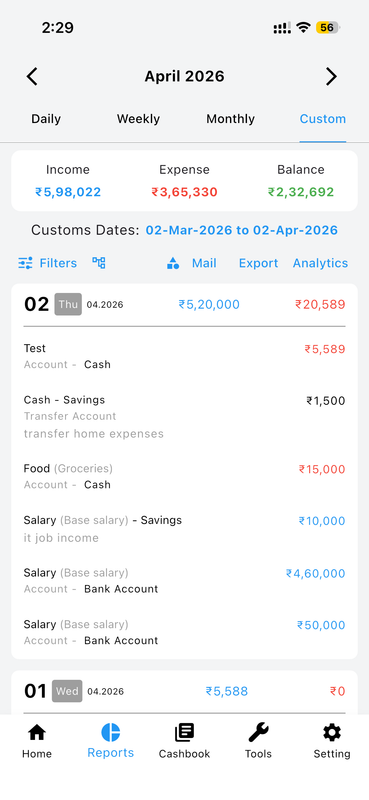
Transaction List with Export & Analytics
Export complete transaction lists with all details in standard formats for external analysis or sharing.
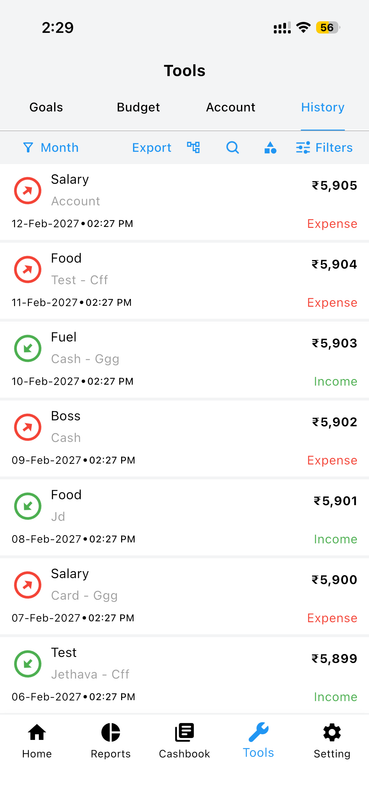
Complete Transaction History
View full chronological records of every transaction with sorting, filtering, and export capabilities.
Cashbook — Lend & Borrow Tracker
Never lose track of money you've lent or borrowed. Money Manager's Cashbook records every transaction with a contact, generates per-person statements, and sends payment reminders automatically.
Full Cashbook Guide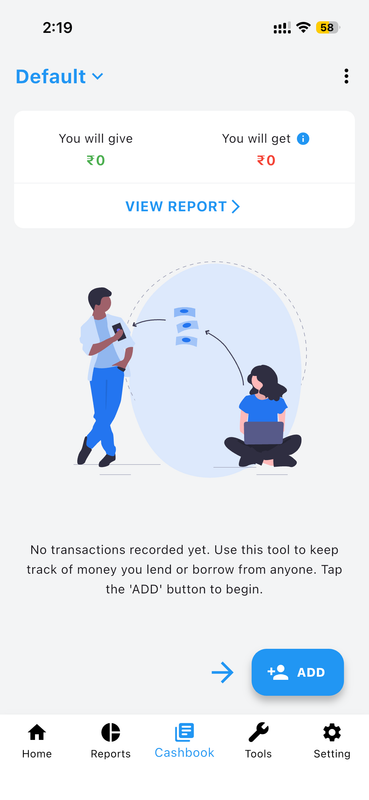
Instant Lend & Borrow Overview
See a complete overview of all money given and received with running balances showing net amounts per contact.
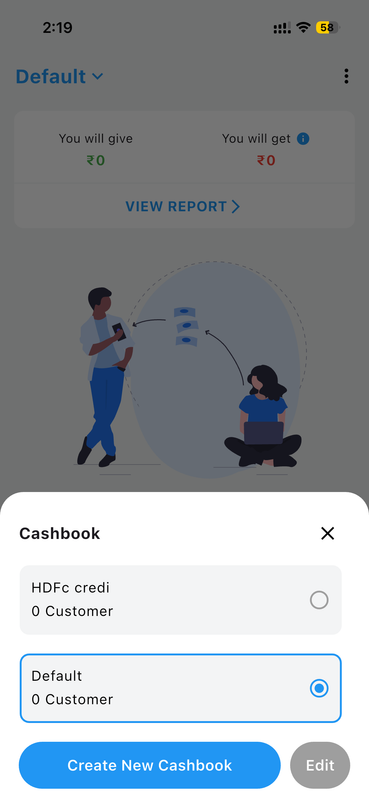
Create & Manage Multiple Cashbooks
Create separate cashbooks for different people or groups to keep personal, business, and family lending organized.
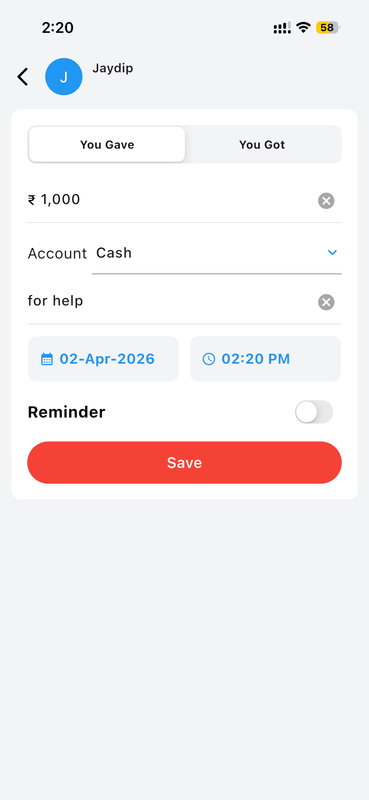
Record Money You Gave or Received
Track both money you gave and money received in one unified view — no more confusion over who owes what.
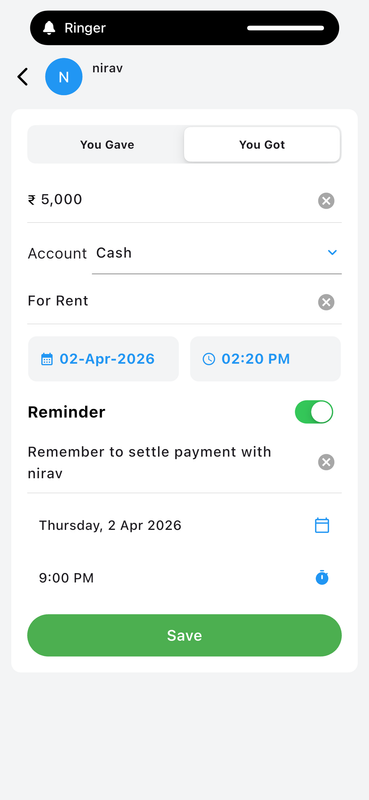
Set Payment Reminders
Schedule automatic reminders for pending payments so nothing slips through the cracks.
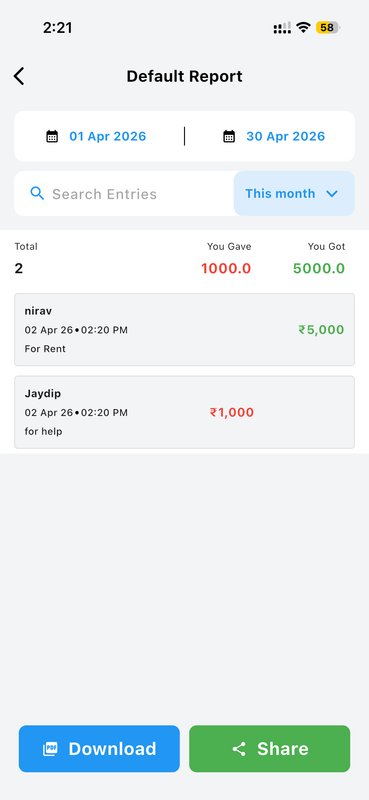
Filter & Search Cashbook Reports
Filter cashbook entries by person, date range, or transaction type for quick detailed analysis.
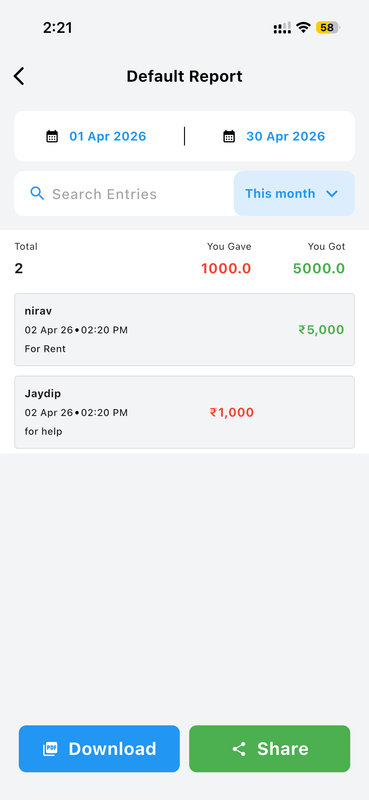
Download & Share PDF Reports
Export beautifully formatted PDF cashbook reports to share, print, or archive with one tap.
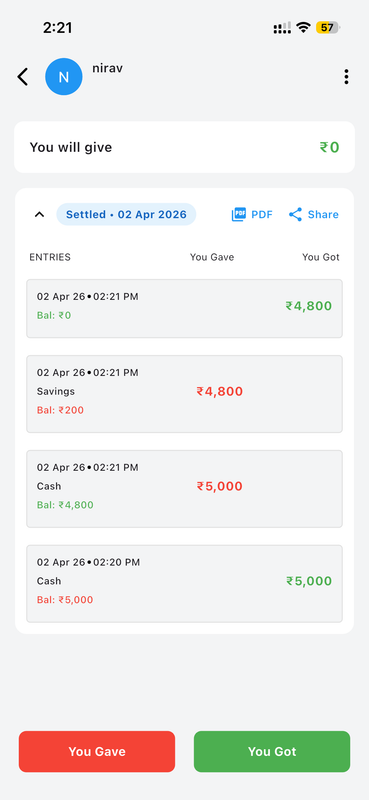
Per-Person Statement & Settle Account
Tap on any contact to view their full transaction history and mark balances as settled when payments are made.
Recurring Transactions
Set up recurring income, expense, or transfer transactions once and let Money Manager handle the rest automatically. Never miss a scheduled entry — from daily salaries to monthly subscriptions.
Full Recurring Guide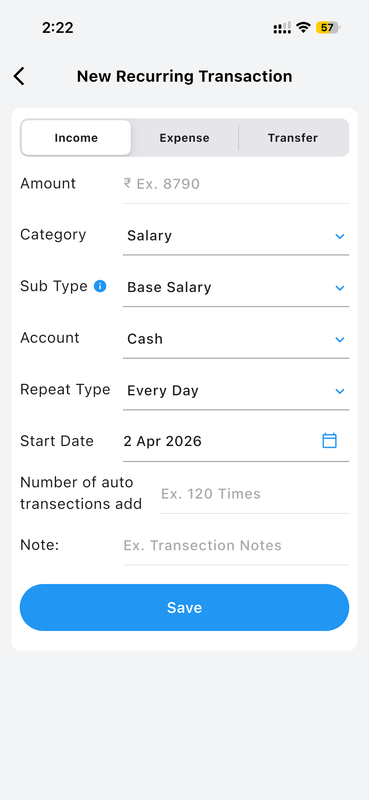
Create a New Recurring Transaction
Choose transaction type (Income/Expense/Transfer), set amount, category, account, and frequency in one simple form.
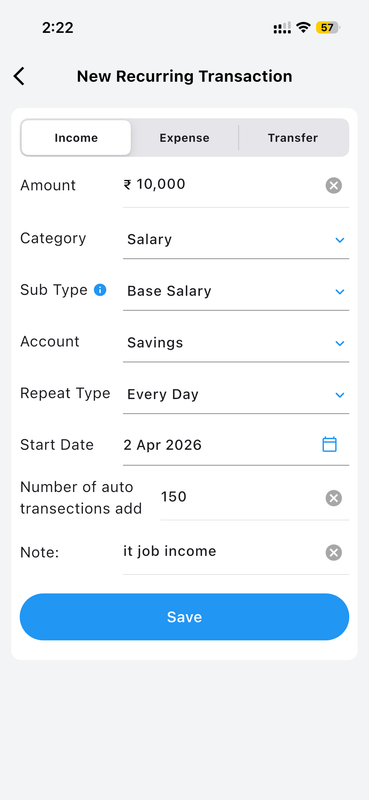
Configure Every Recurring Detail
Set frequency, start date, repetition count, and notes. Full control over how and when transactions repeat.
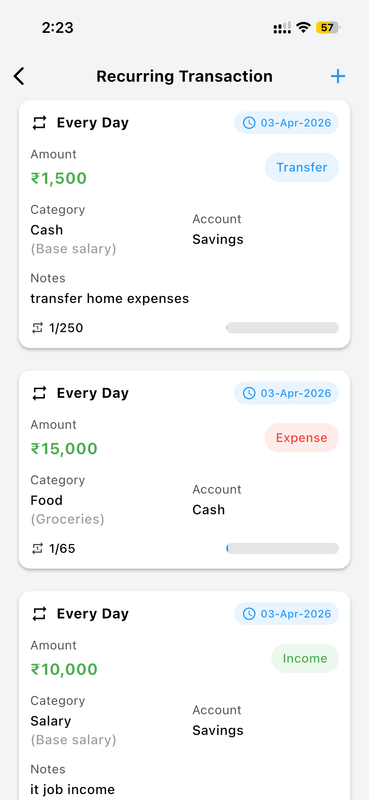
View All Active Recurring Entries
The Recurring list gives a complete overview of all automated entries with progress indicators and upcoming dates.
Data Backup & Restore
Keep your financial data safe and always within reach. Money Manager lets you back up automatically, restore from any previous version, export your database, and import files with ease.
Full Backup Guide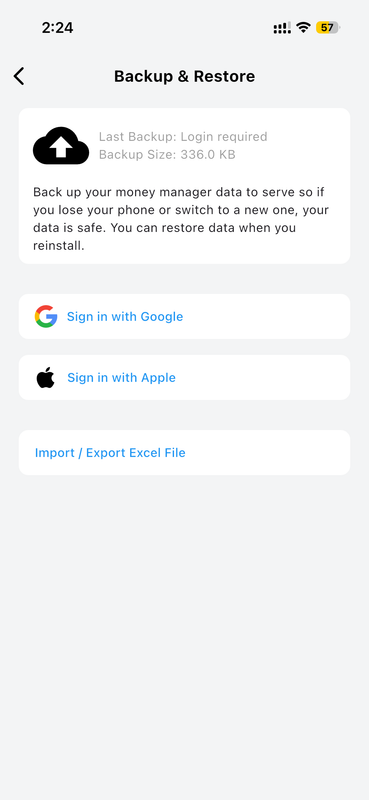
Sign In to Enable Backup
Sign in with your account to activate cloud backup and keep your data protected and accessible anywhere.
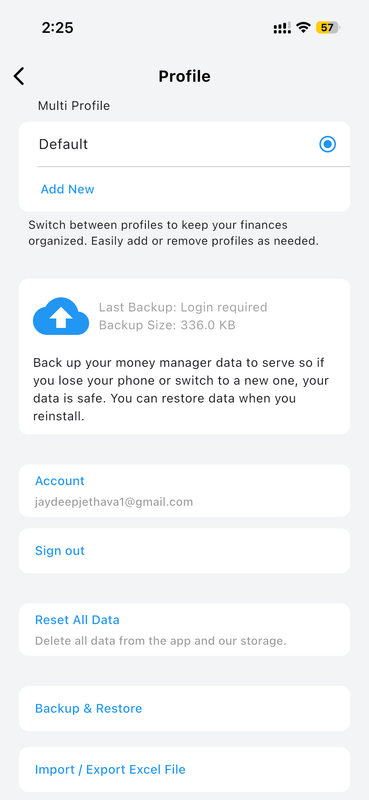
Multiple Backup Profiles
Backup is available across multiple profiles so all your books are securely saved independently.
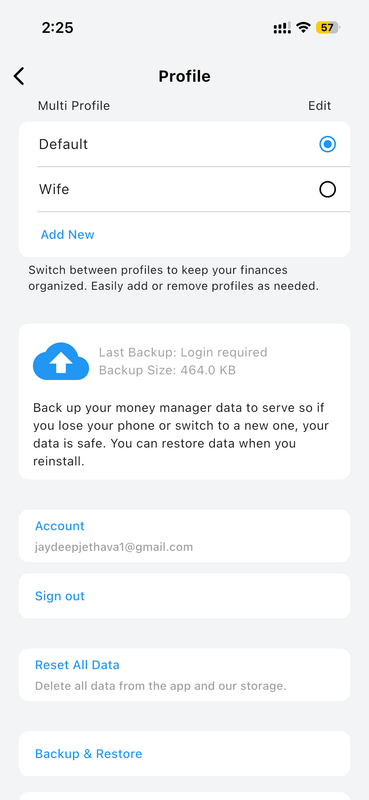
View Your Last 3 Backups
Access your three most recent backups with timestamps to quickly identify and restore the version you need.
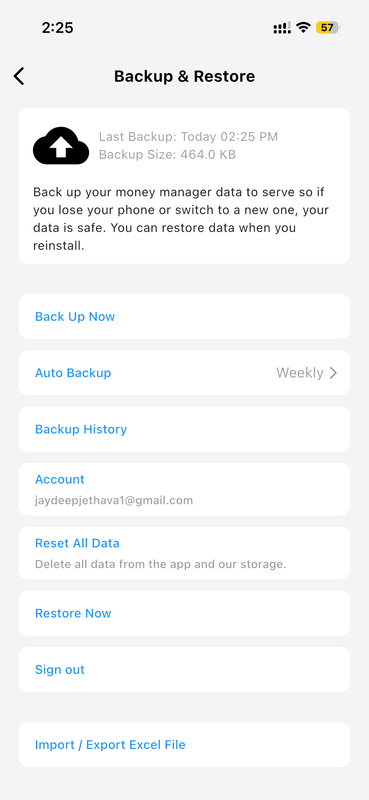
Restore Your Data in One Tap
Restore your entire database from any saved backup version with a single tap — instant recovery guaranteed.
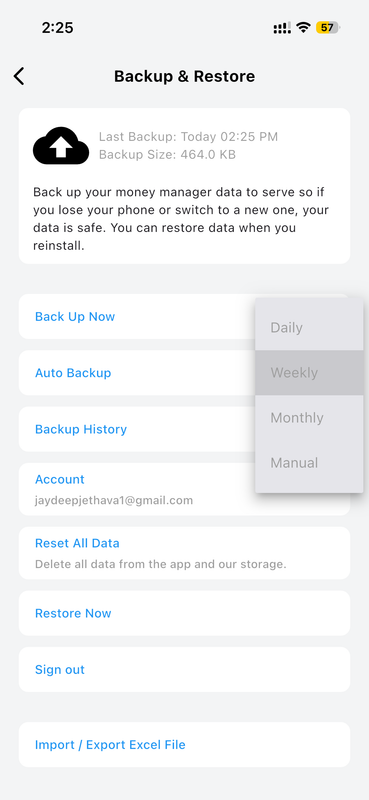
Flexible Automatic Backup Schedules
Configure how frequently automatic backups run — daily, weekly, or monthly — to match your preference.
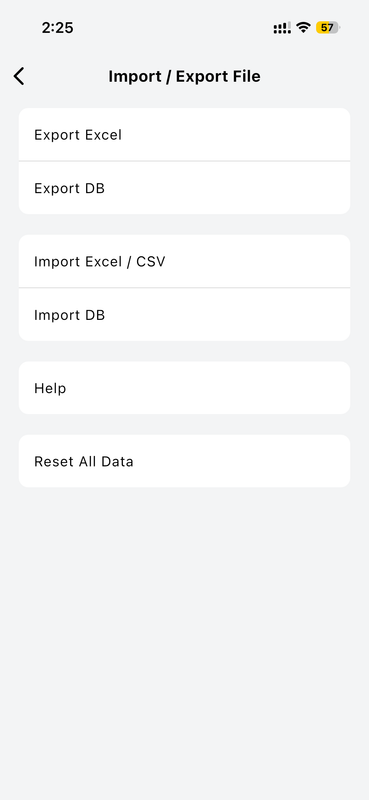
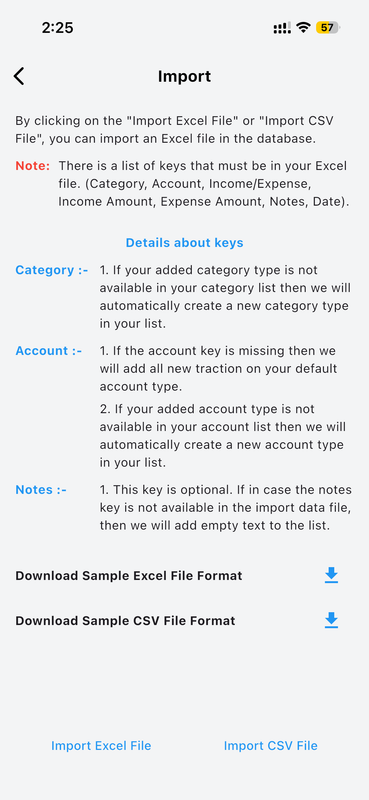
Import a Backup File
Import a backup database file from local storage or cloud to migrate data or switch devices seamlessly.
Export Your Backup Database File
Export your full database file to local storage for manual archiving or transferring to another device.
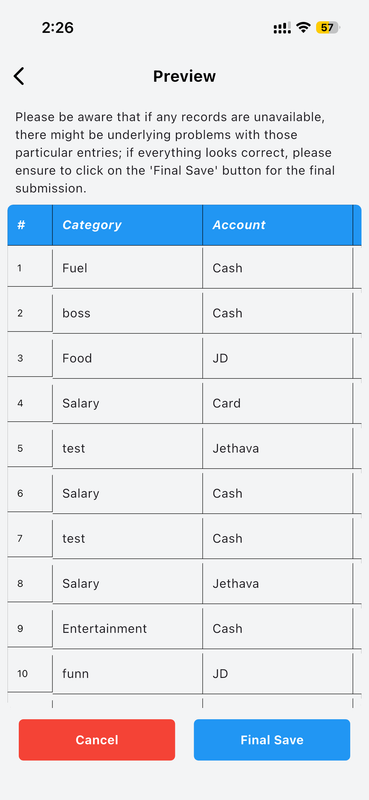
Review Your Imported Data
After importing, view a complete list of all income and expense entries to verify everything came across correctly.
AI-Powered Financial Guidance
Get personalized financial guidance, actionable savings strategies, and expert money advice powered by AI — tailored to your actual spending patterns and goals.
Full AI Guide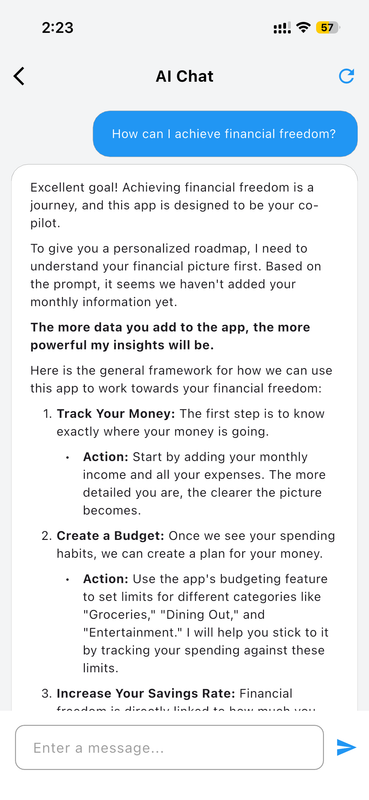
AI-Powered Financial Guidance
Ask any financial question and receive intelligent, personalized answers based on your real spending data and habits.
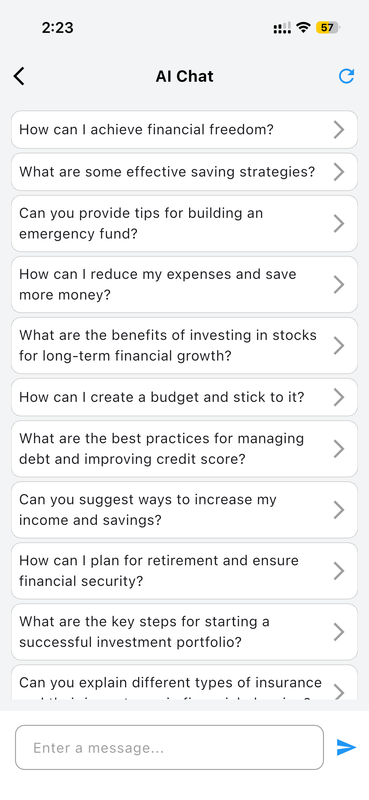
Curated Financial Question Library
Browse a library of suggested financial questions — from savings strategies to debt management — with instant AI answers.
Multiple Profiles
Keep your personal tracking, business accounting, and family budgets completely separate. Switch between books seamlessly with a single tap — each with its own independent data.
Full Profiles Guide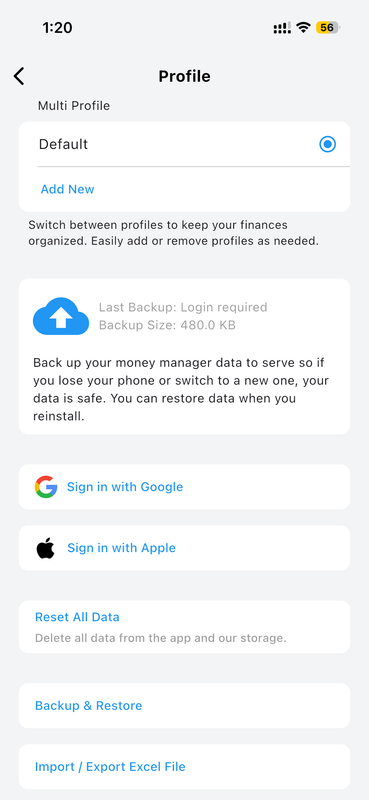
Create Multiple Books
Set up separate financial books for personal, business, family, or any other purpose — each fully independent.
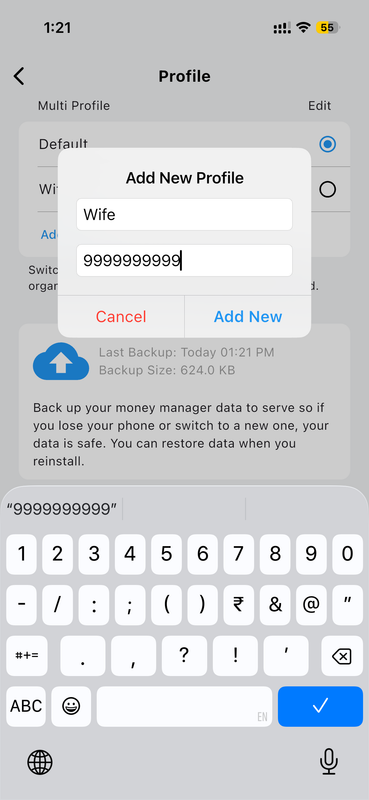
Fast Profile Switching
Switch between books with a single tap — no logout required. Your context is saved exactly as you left it.
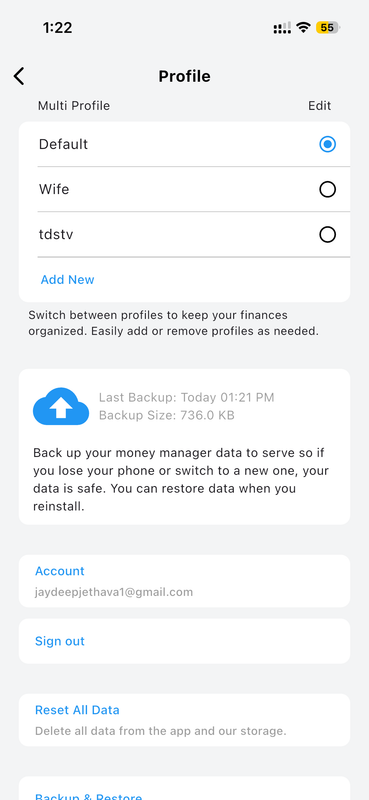
Independent Configuration
Each profile has its own accounts, budgets, goals, transactions, and settings — completely separate from others.
Other Features
Discover powerful utility features built into Money Manager — from bookmarked transactions and a built-in calculator to multi-currency support, passcode security, themes, and smart reminders.
Full Other Features Guide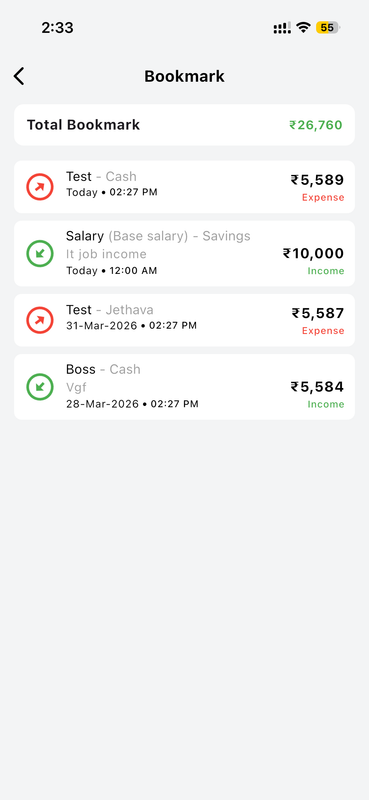
Bookmarked Transactions
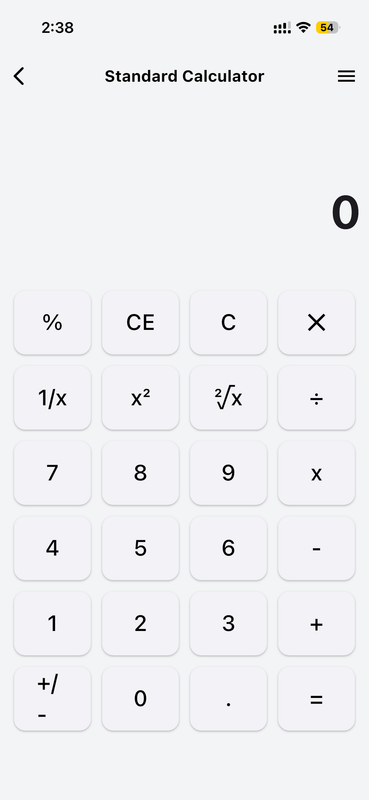
Built-in Calculator
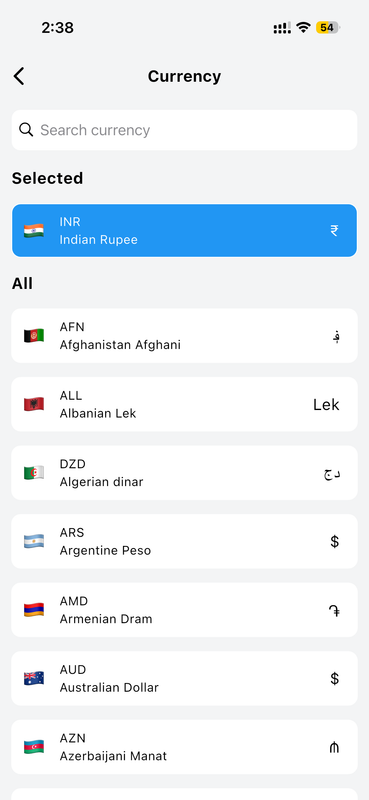
Multi-Currency Support
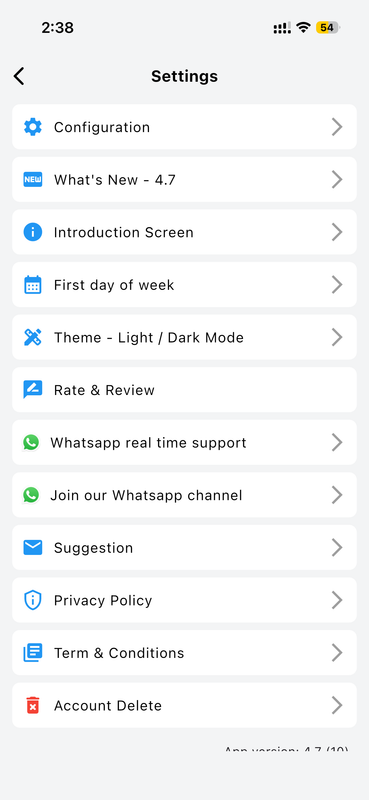
Complete Settings Menu
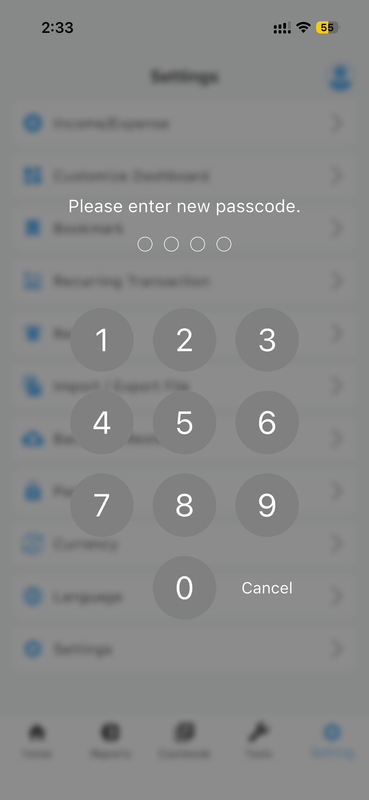
Passcode Security Lock
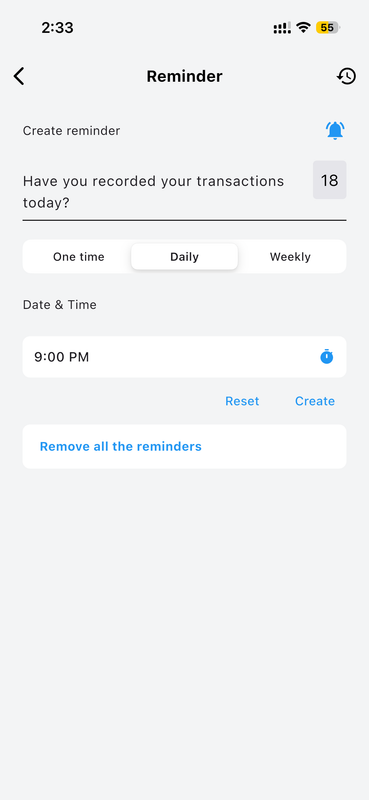
Smart Daily Reminders
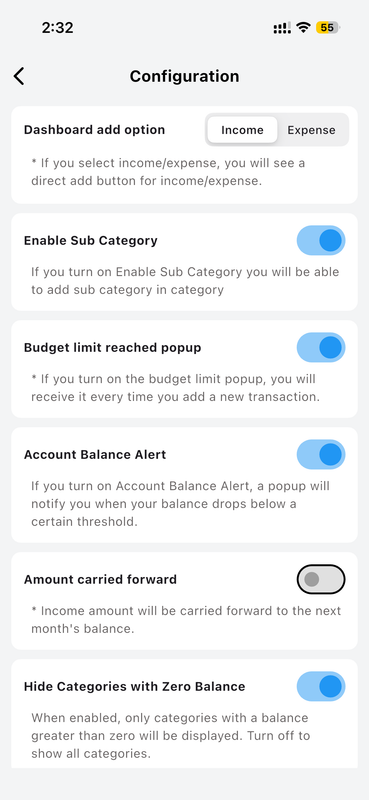
Advanced App Configuration
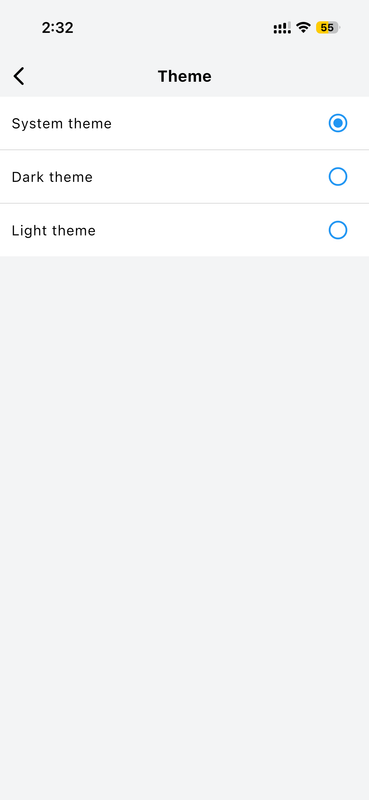
Light, Dark & System Themes